12
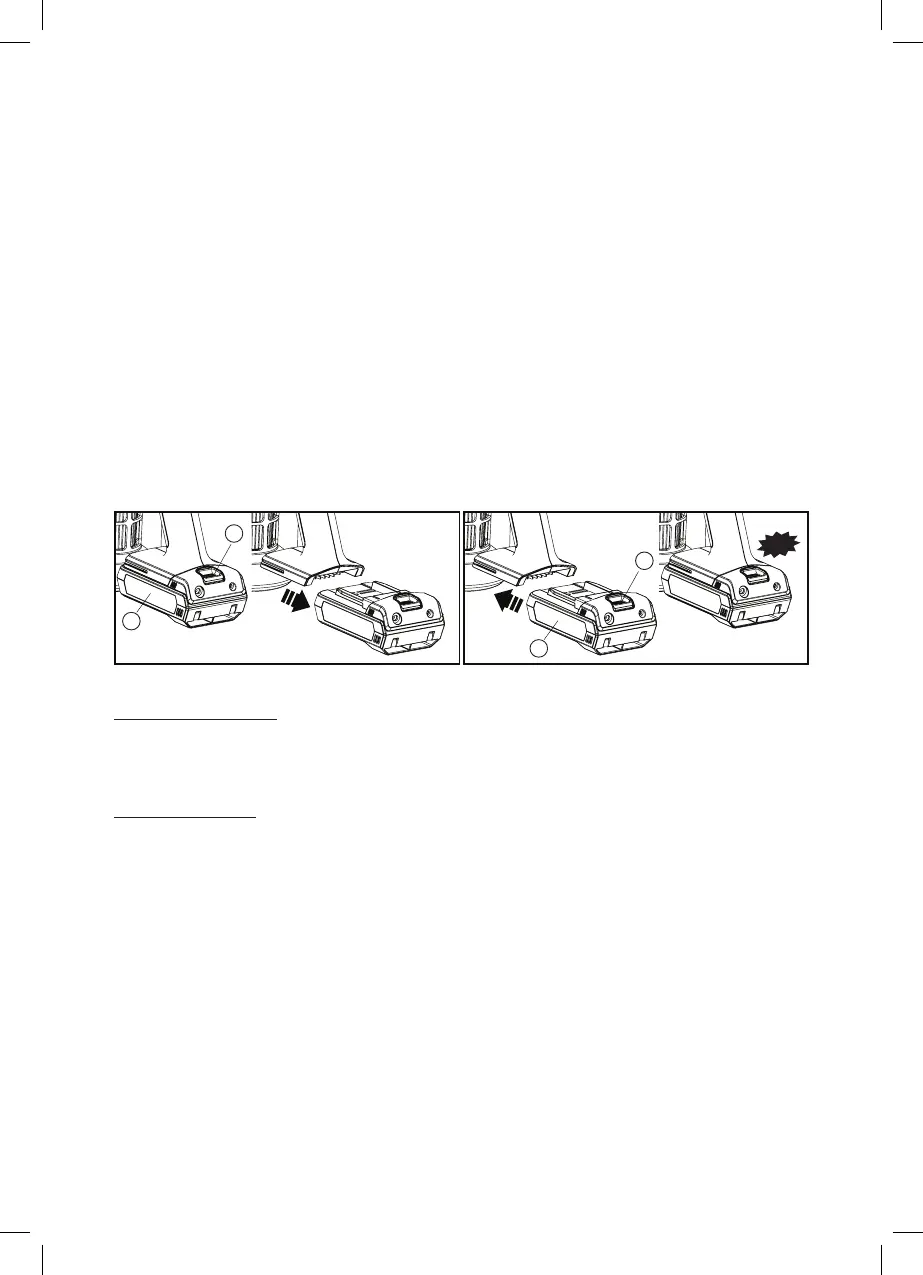
BATTERY RELEASE INSERT BATTERY
Important Note for Charging
2. Charge the appliance when the Charging indicator (K) is breathing Blue
LED light during operation, this means that the appliance is charging.
Only charge the vacuum cleaner with the Charger (O) supplied.
3. All LED turns on to indicate that the appliance is fully charged.
When using your handheld vacuum cleaner continuously with Battery
pack (J), the batteries in your battery pack will become hot. You should
let a hot battery pack cool down for approximately 30 minutes before
attempting to recharge.
Battery Release:
Press Battery release button (I) and slide back the Battery pack (J) for
release.
Insert Battery:
Press Battery release button (I) and slide the Battery pack (J) to the
handheld body until you hear a click sound.
NOTE: Do not disassemble, short circuit, heat above 60ºC (140ºF), or
incinerate and do not dispose of in fire. If the battery needs replacing
contact the manufacturer.
I
J
J
I
Click



 To Next Page