Rel. 03
26
7.1 DRAWING CREATION OR CHANGE
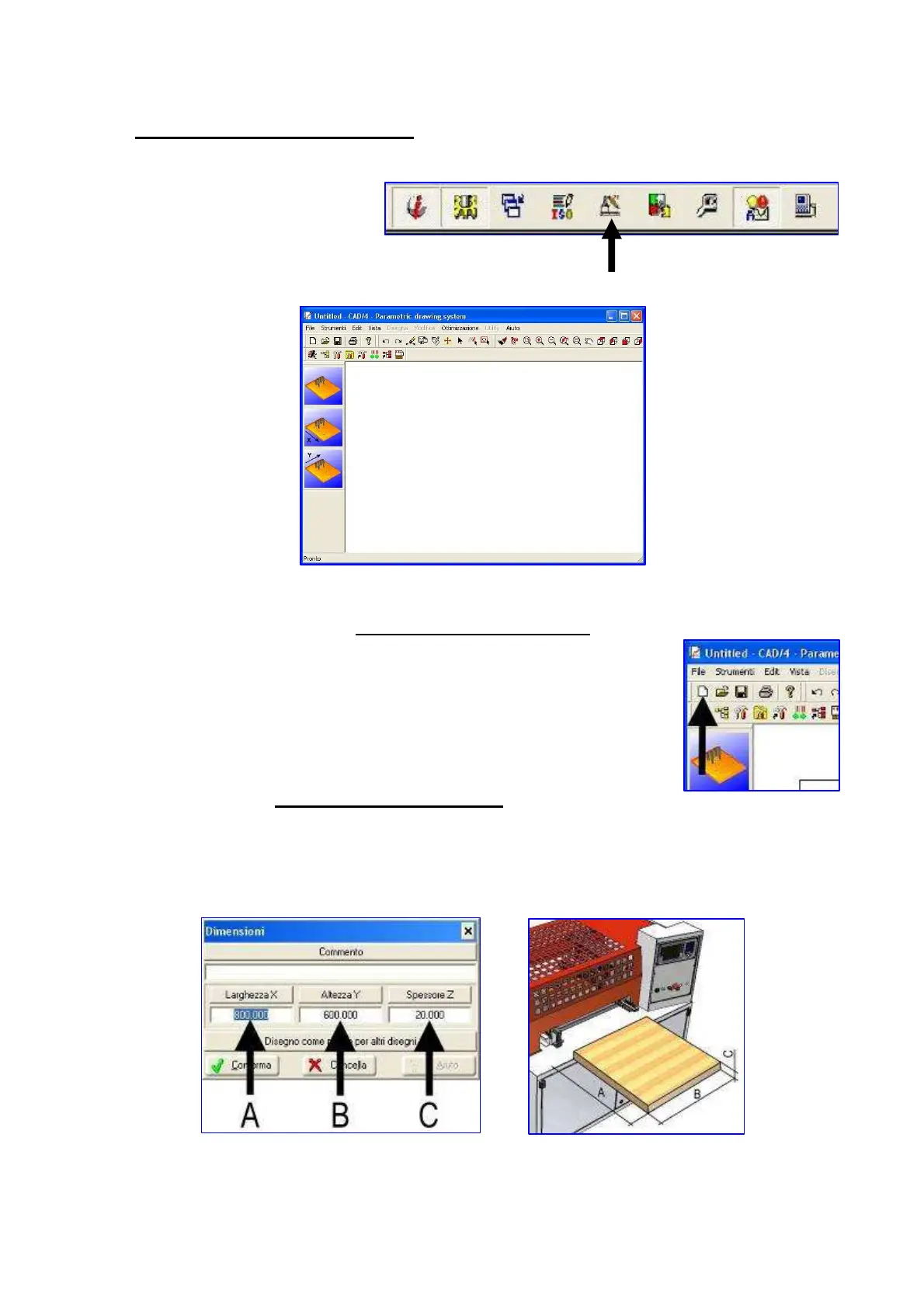
Press the icon
Then appears this
screen
Drawings creation or opening
Click on the shown icon to create a new drawing
In order to open an already existing drawing, press the icon next to the
previous one and select the programme to be changed.
The drawing directory is : “D:\iLENIA\DRW\CAD4”
Change of board dimensions
The following window appears when creating a new drawing
Enter dimensions (expressed in millimeters) in the boxes marked by letters A, B and C by following
the picture here-below (they refer to how the board is positioned during the working phase):


 To Next Page