Rel. 03
27
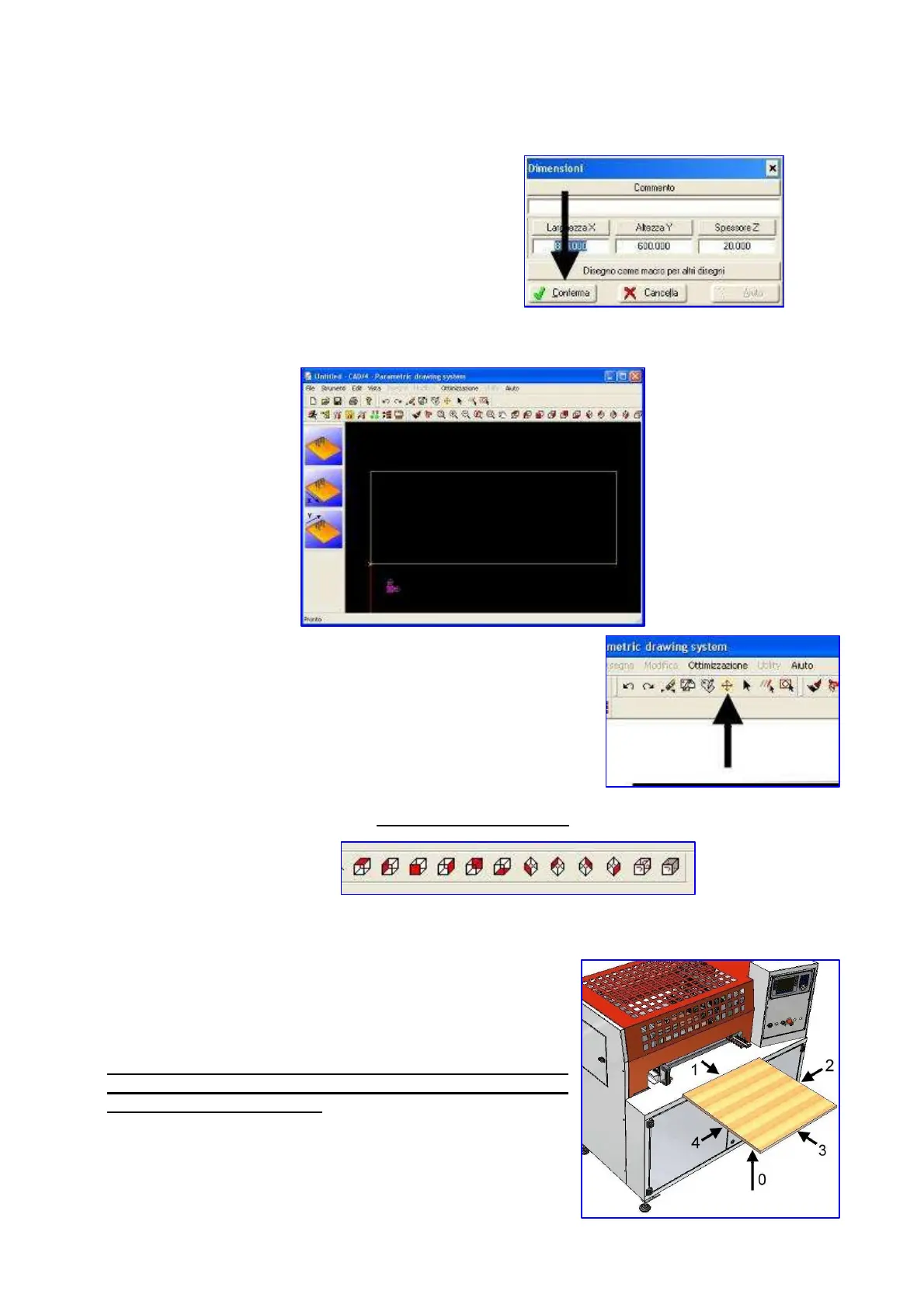
Then press the button shown at the side:
The software will create the board drawing according to entered dimensions:
It is then possible to change board dimensions at a later stage by
clicking on the side icon that will reopen the window mentioned
before.
Working cycles entering
Icons are in the upper part:
The board to be processed has the following sides:
WARNING: POINT CARRIES OUT DRILLING ON SIDES 1, 3
AND 0, 2 (OPTIONAL) , 4 (OPTIONAL) . GROOVNG AND
MILLING ONLY ON SIDE 0


 To Next Page