Rel. 03
35
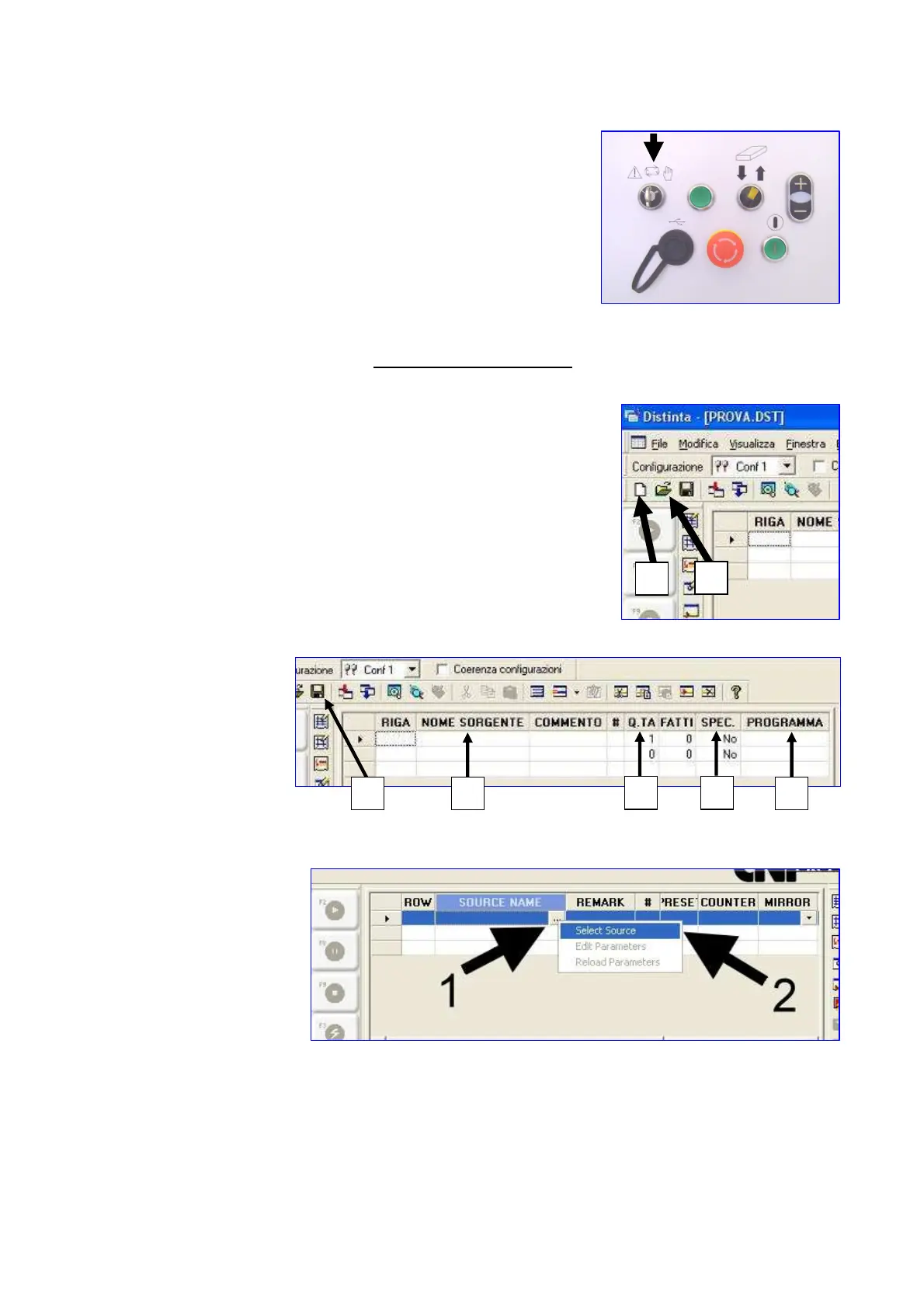
Rotate the selector into automatic modality (central position) as
shown in the following picture.
Only after this procedure has been completed, it is possible to
start the list.
Opening change creation
The screen opens
In order to open a new list press icon 1
In order to open an existing list press icon 2
Change or enter the
following parameters
1) Select the
drawing to be
made in column
n° 1
2) Use the bar-code reader (OPTIONAL)
2
1
1
2
4
3
5


 To Next Page