Rel. 03
37
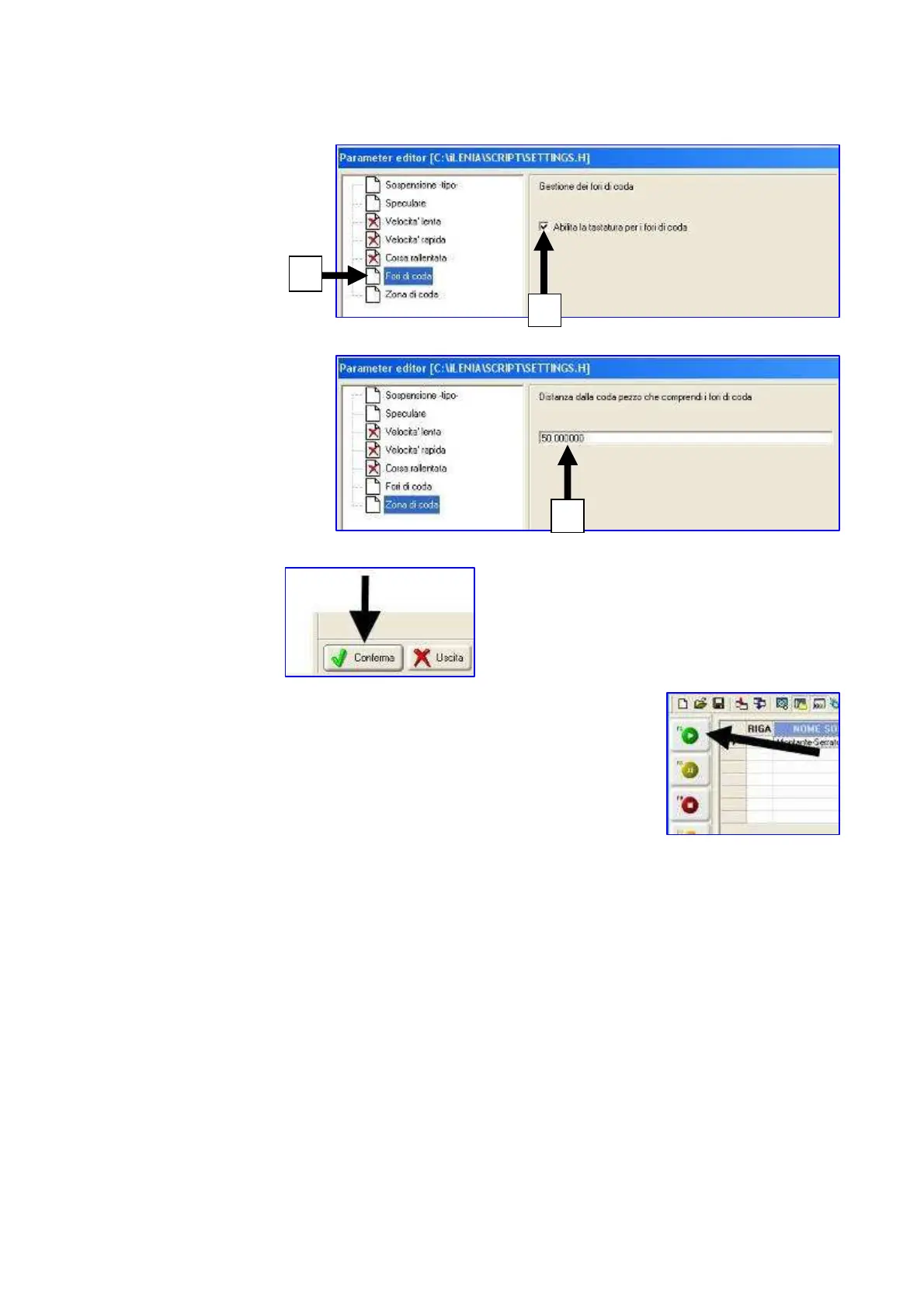
Press the button 1
Press the button 2
Fill the measure C (in mm)
Press "Confirm"
9) Then click with the mouse on the first box in the upper part of
column n° 1
10) Press the following button to start the working cycle
The working line changes its colour.
It may turn into the following colours:
- GREEN : executable programme. If the selector on the control panel is not on
“Automatic” position (central), the line becomes green, but the machine
doesn’t work. Therefore rotate the selector.
- RED: it means that the equipping is not consistent with the software equipping of the
machine. Automatically the screen of the CAM programme appears displaying
those working cycles which cannot be carried out (see chapter 7.3))
2
1
C


 To Next Page