DOT-PM80 Android 6.0.1 User Manual
11
© 2006 – 2018 POINTMOBILE Co., Ltd. All rights reserved
Getting Started
Turn On/Off DOT-P M80
Turn On
1. Press and hold down the “Power Key” for a few seconds.
2. When DOT-PM80 enter to the boot mode, it will display “SMART BEYOND RUGGED” logo with short
vibration
3. Release the “Power Key” and wait until DOT-PM80 finish booting
Note: If you cannot turn on your DOT-PM80, try below steps
- To turn on DOT-PM80, battery needs to be charged certain level. Please charge first
- Press and hold the “Power key” for 12 seconds to force reboot
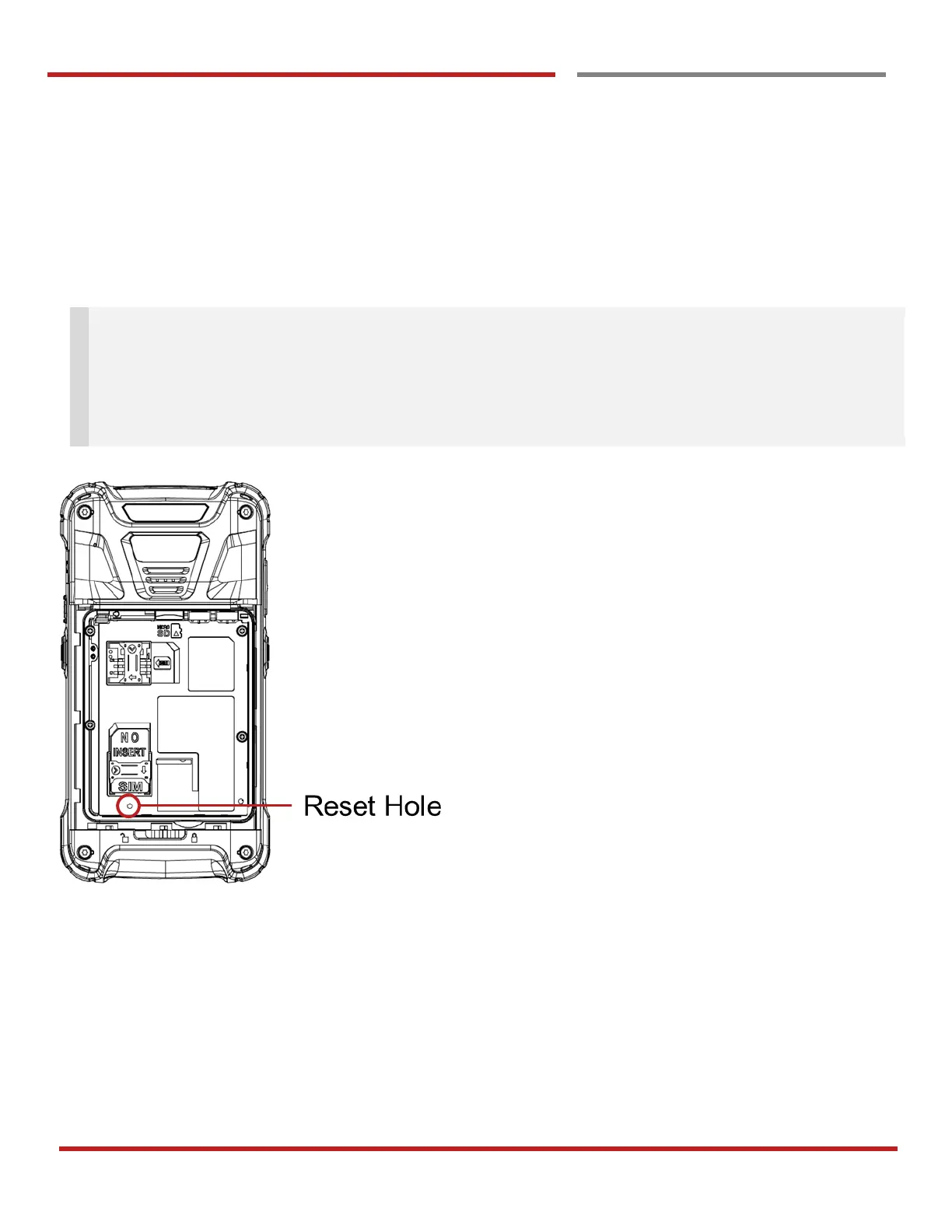
- Press and release the “Reset Hole” and then turn on DOT-PM80 again
Turn Off
1. Press and hold the “Power Key” until you see the power menu
2. Among the menu, tap “Power Off”



 To Next Page