EasyManua.ls Logo

POINTMOBILE DOT-PM80 - Make a Call; Accessing Contacts;Recents; Using the Dialer

Default Icon
76 pages
Print Icon
To Next Page IconTo Next Page
To Previous Page IconTo Previous Page
Loading...
DOT-PM80 Android 6.0.1 User Manual
23
© 2006 2018 POINTMOBILE Co., Ltd. All rights reserved
Learning the basics
Make a call
Make a call
Learning the basics
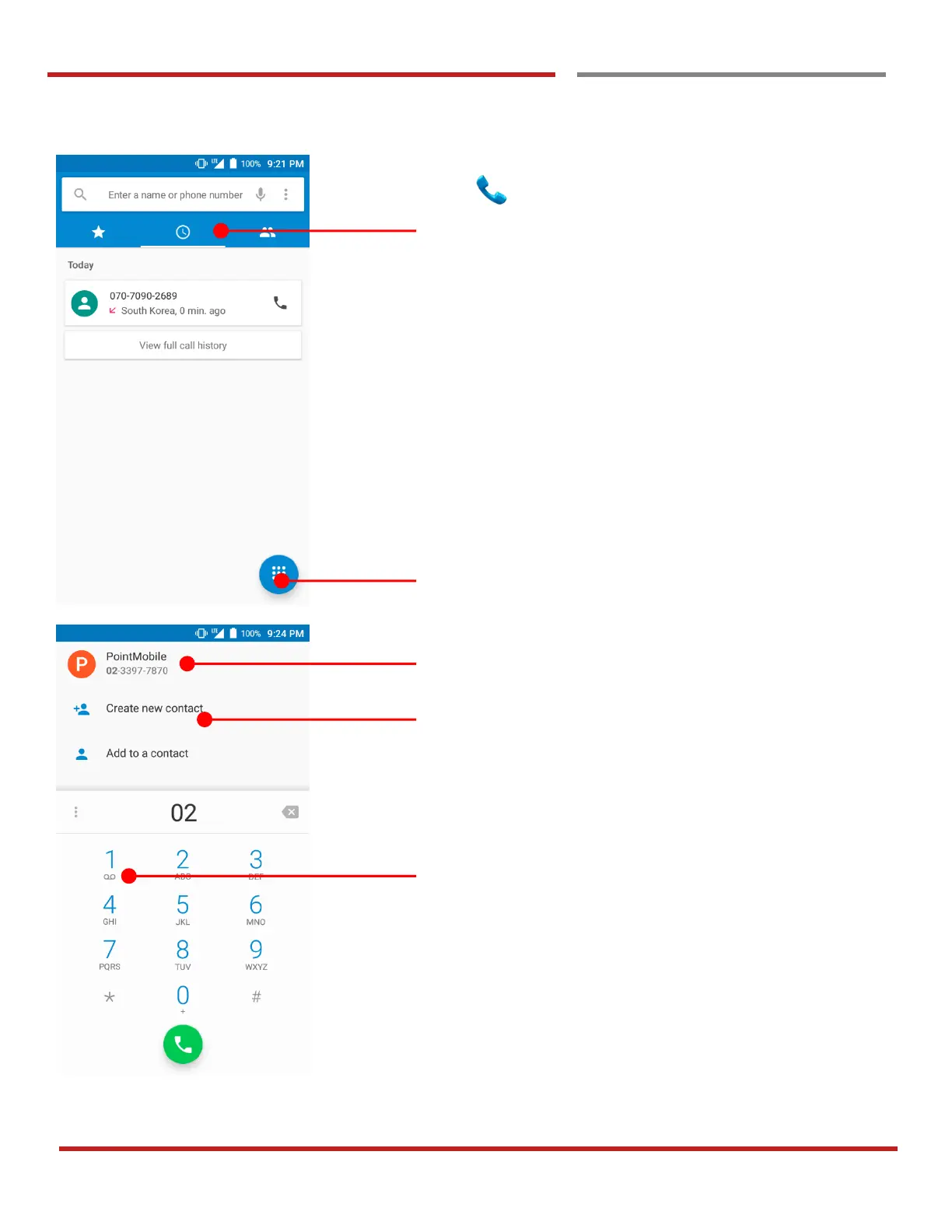
Touch icon in the Favorite tray apps
Slide to access the “FAVORITE”, RECENTS and
CONTACTS.
- To make a call from recent call list or missed call,
select “RECENTS” tab
- To make a call from your contact list, select
“CONTRACTS”
Touch to use a dialer
Suggested phone number(s)
Phone number can be saved to “CONTACTS”
Touch and hold the dial pad #1, to access voicemail.