DOT-PM80 Android 6.0.1 User Manual
17
© 2006 – 2018 POINTMOBILE Co., Ltd. All rights reserved
Learning the basics
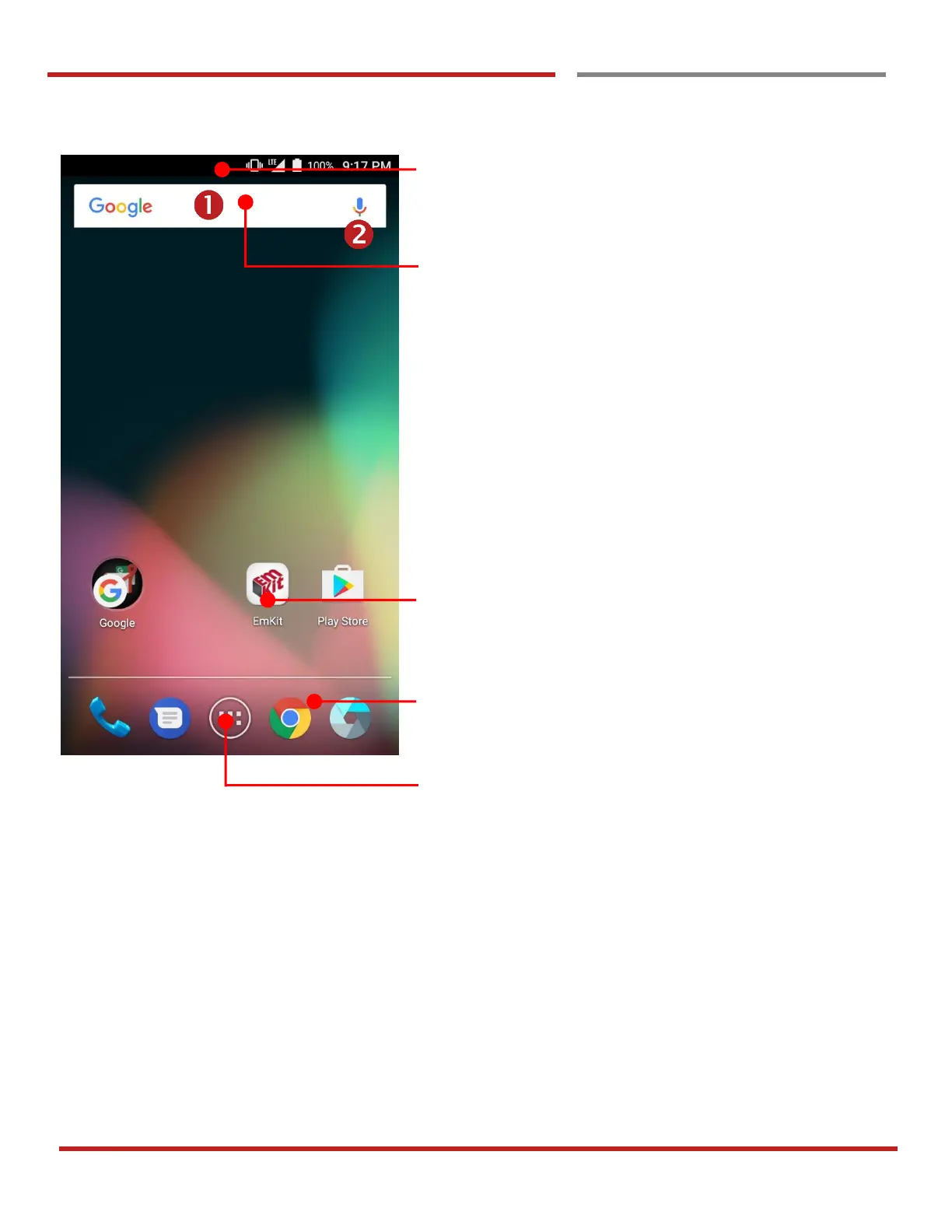
Home Screen, Apps and Widget
Home Screen, Apps and Widget
Status Bar
- Status / Notification
- Drag down to open the “Quick Setting Panel”
Search Bar
- Touch 1 to search by text
- Touch 2 to search by voice
Touch an icon to run an app, open folder, etc
Favorite tray apps
- Touch to run an app
- Touch and hold to reorganize
App Drawer
Touch to enter “Apps and Widget”



 To Next Page