DOT-PM80 Android 6.0.1 User Manual
7
© 2006 – 2018 POINTMOBILE Co., Ltd. All rights reserved
Getting Started
Setup DOT-PM80
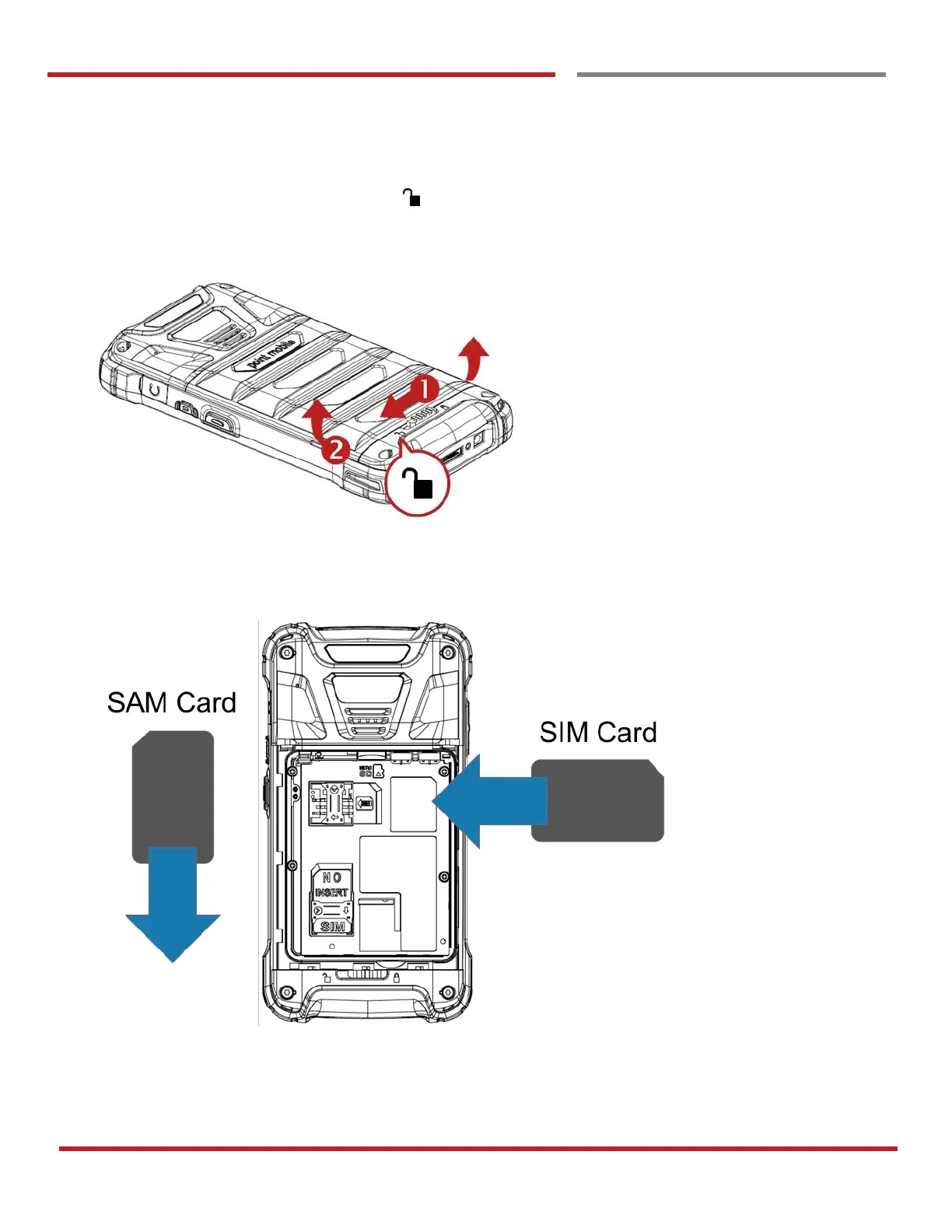
Remove the Battery Cover
1. Slide “Battery Cover Lock” to the “Unlock “
2. Pull up the Battery Cover from bottom side area
Insert SIM card and SAM card
1. Insert the SIM card and SAM card (Optional) into the each slot. (Gold contact should face down)
2. To remove the card, gently slide it out of the slot.



 To Next Page