DOT-PM80 Android 6.0.1 User Manual
8
© 2006 – 2018 POINTMOBILE Co., Ltd. All rights reserved
Getting `Started
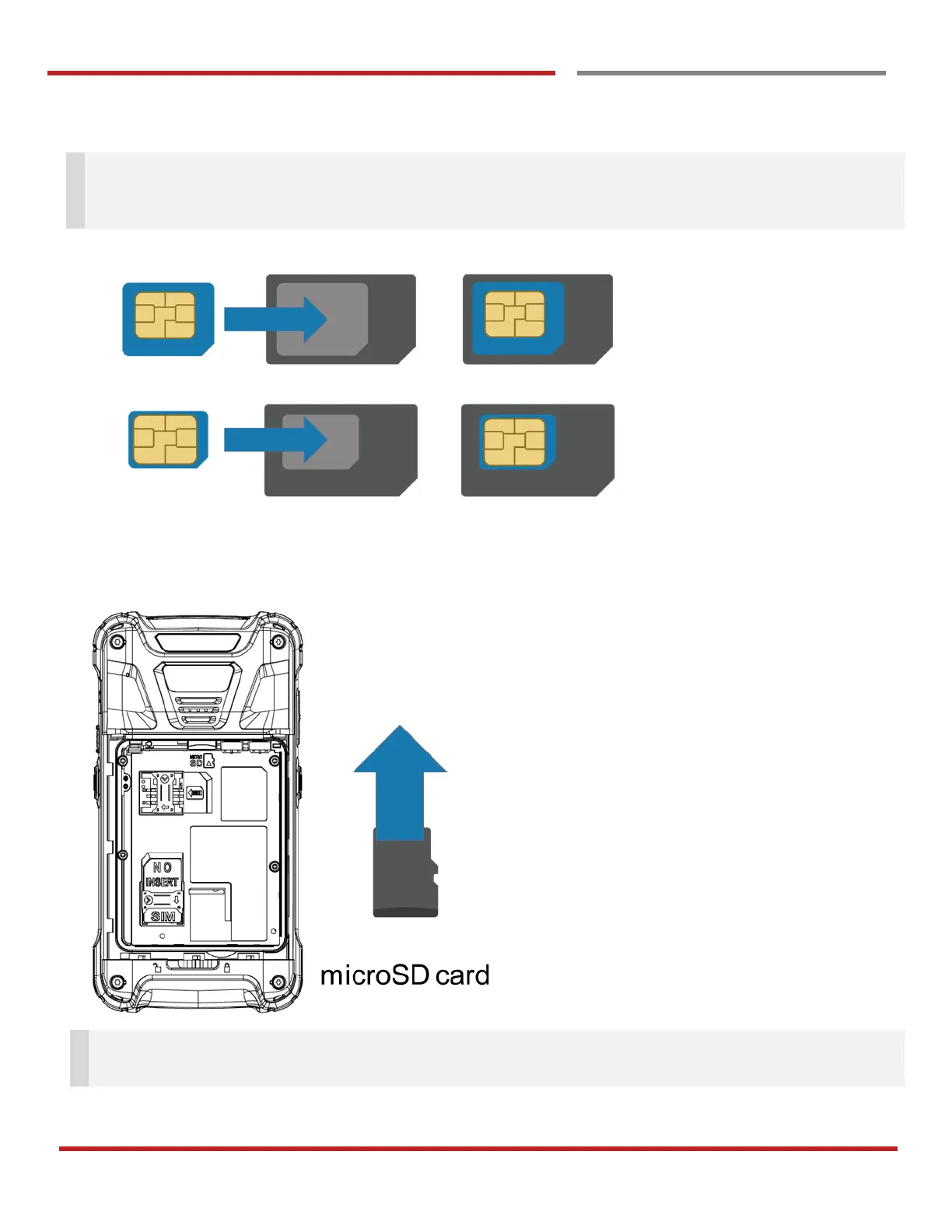
Note: Your device only supports SIM cards. Do not attempt to insert other SIM types such as “Micro” and
“Nano” SIM card, this may cause damage to your device. If you have to use different SIM card types,
please use “SIM adaptor”.
Install and Remove the microSD card
1. Insert the microSD card into the slot (Gold contact should face down).
2. To remove the microSD card, gently slide it out of the slot.
Note: To avoid data loss and SD card damage, please ensure the SD card is unmounted from Android
system “Settings – Storage - Unmount SD card”
Getting Started



 To Next Page