DOT-PM80 Android 6.0.1 User Manual
9
© 2006 – 2018 POINTMOBILE Co., Ltd. All rights reserved
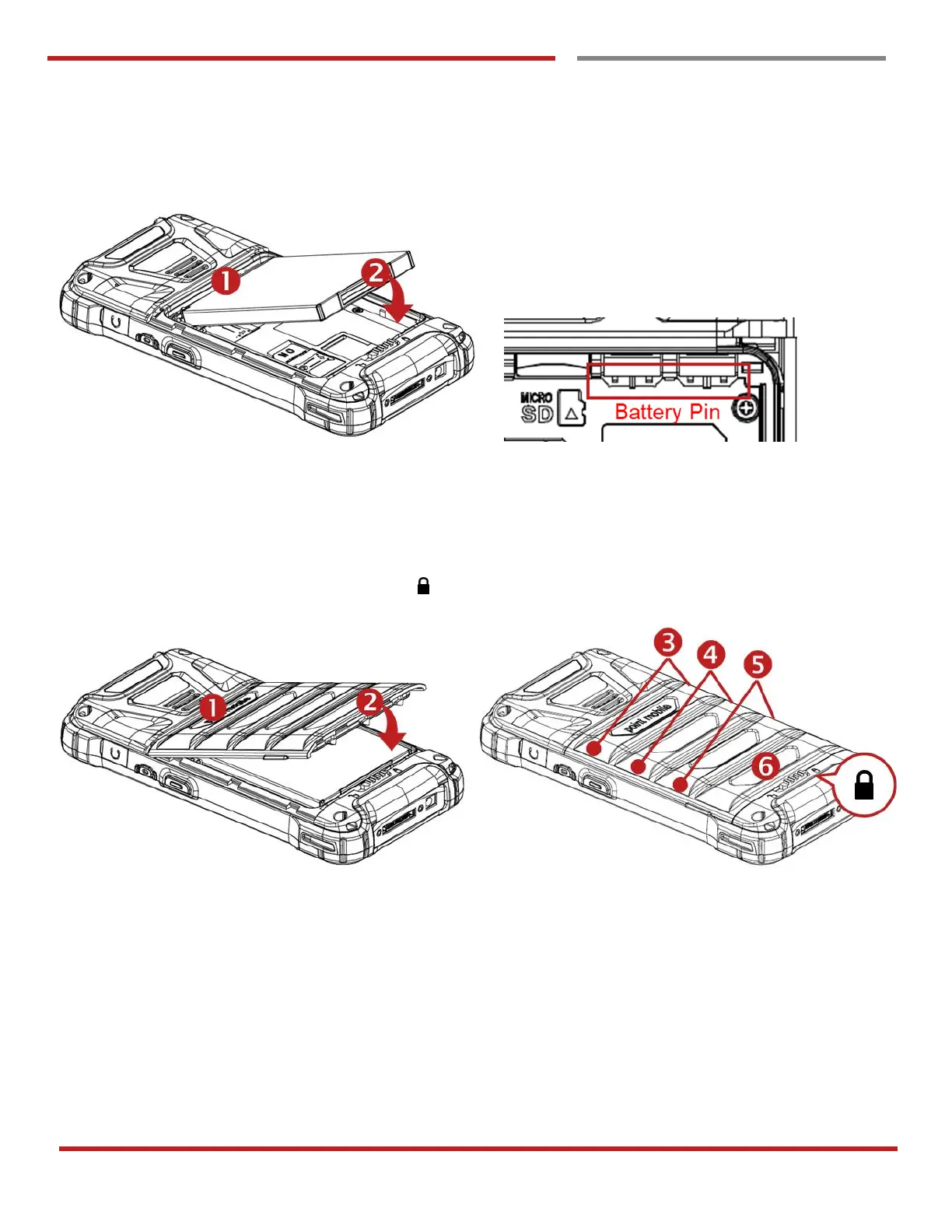
Insert the Battery
Insert “Battery” from top area first and then put in bottom area. Make sure battery contact “Battery Pin”
Close the Battery Cover
Insert “Battery Cover” from the top area first and then put in bottom area. Press battery cover with both hand
and Make sure “Battery Cover Lock” is “Locked “



 To Next Page