DOT-PM80 Android 6.0.1 User Manual
44
© 2006 – 2018 POINTMOBILE Co., Ltd. All rights reserved
OS Update
OS Image update from the FOTA
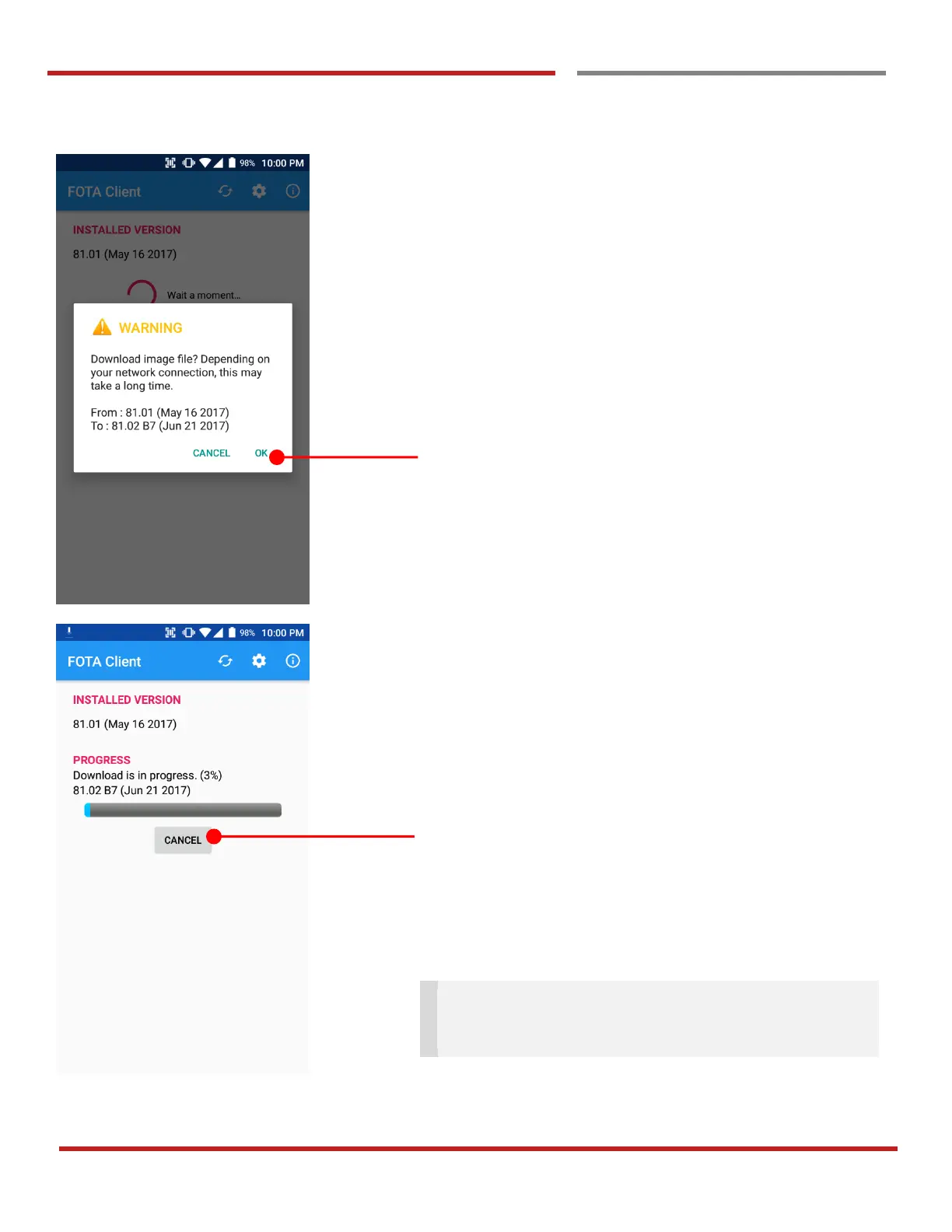
DOT-PM80 will compare the OS image between FOTA
server and current OS image. If there is newer OS image in
the FOTA server, FOTA server will suggest downloading.
Touch “OK” to start download the image in the FOTA server
You can cancel OS image download process
Note: Default OS image download setting of FOTA
Client is “Download over Wi-Fi only” Please connect to
the nearby Wi-Fi network for FOTA service



 To Next Page