DOT-PM80 Android 6.0.1 User Manual
49
© 2006 – 2018 POINTMOBILE Co., Ltd. All rights reserved
Factory data Reset
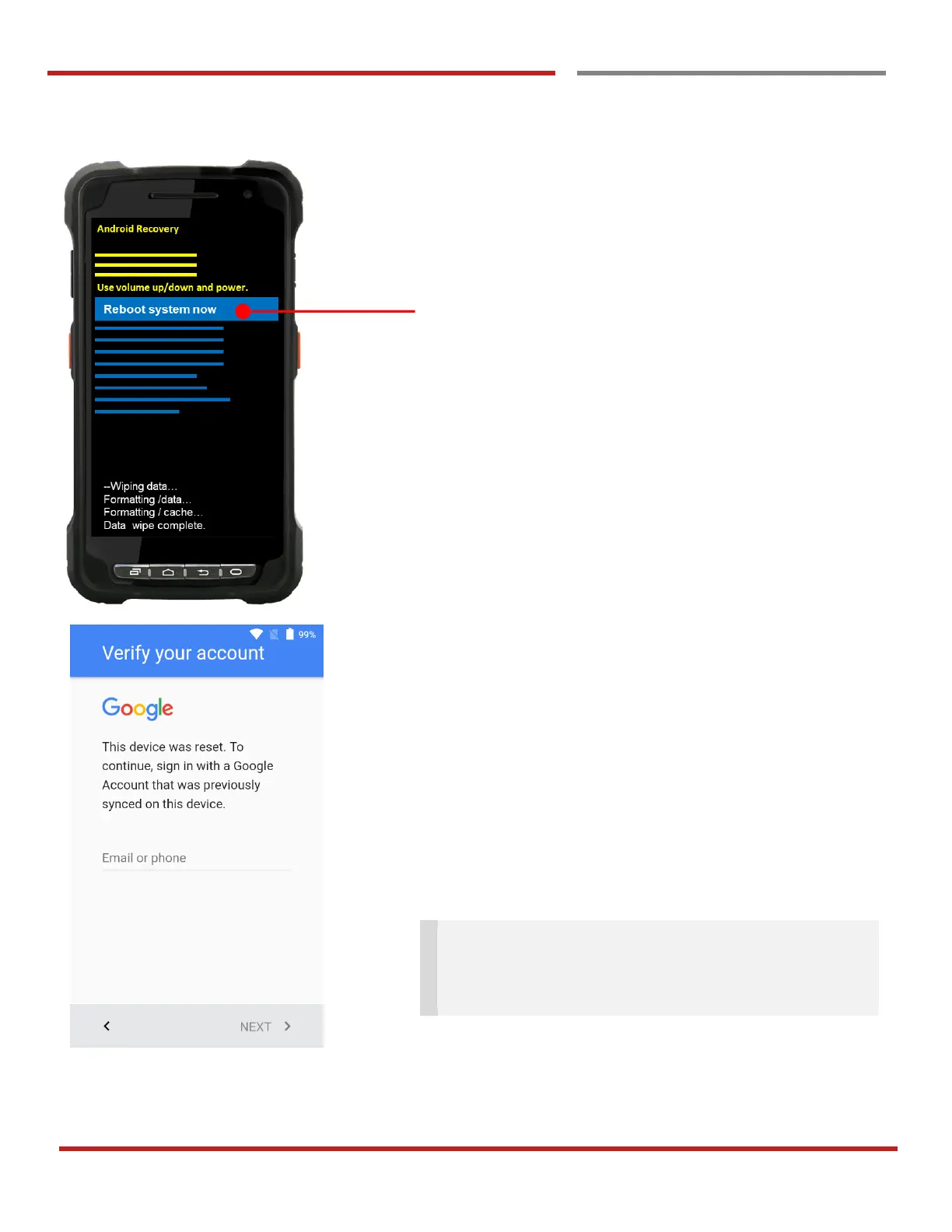
After data wiping, please select “Reboot system now” to
finish the “Force Factory data reset” process
After Force factory reset, if PM Android Device locked by
Factory Reset Protection, then please enter to Fast Boot
mode and execute command
- fastboot erase config
- fastboot reboot
Note: Factory Reset Protection (FRP) is a security
method that was designed to make sure someone can't
just wipe and factory reset your device if you've lost it or
it was stolen



 To Next Page