DOT-PM80 Android 6.0.1 User Manual
68
© 2006 – 2018 POINTMOBILE Co., Ltd. All rights reserved
EmKit Tools
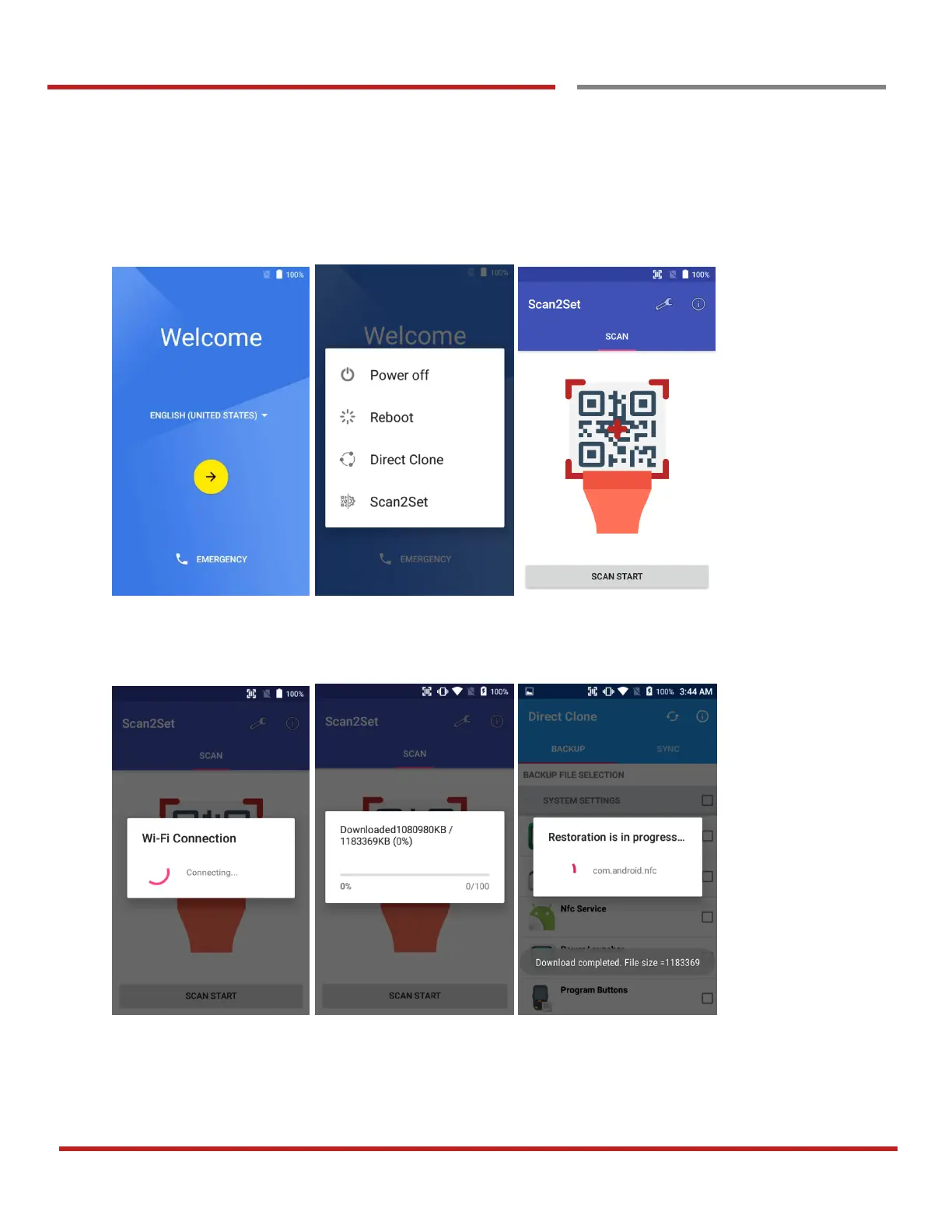
Step 4. Read QRcode in other PDAs
- Turn on your Point Mobile Android device.
- Press the Power Button, then you will see the Scan2Set in the menu
- Read the generated QRcode. Point Mobile Android device will download the file from the FTP site or
Web server and restore Direct Clone file



 To Next Page