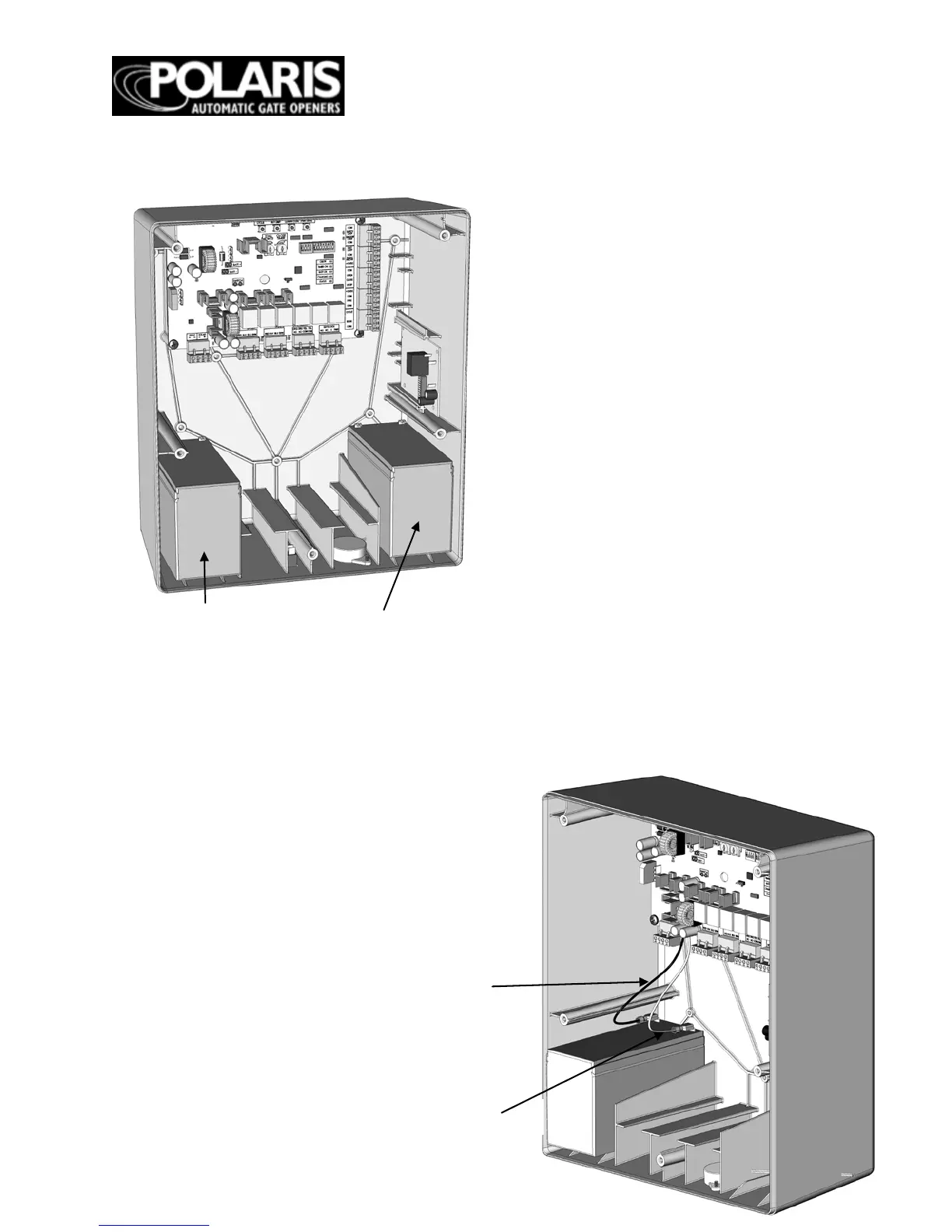
Circuit Board
Step 5
Connect the battery terminal
wires to the battery.
Step 6
Plug in transformer. Turn control
box power switch to the ON position.
Step 3
The transformer provided is for dry
location use only. If used in an outside
outlet, the transformer must be enclosed
or covered for weather protection. Attach
AC power wire to the transformer.
NOTE: DO NOT PLUG TRANSFORMER
INTO AC POWER UNTIL ALL WIRING IS
COMPLETED.
Step 4
Install the battery by placing the battery
into the control box. The control box can
accommodate one or two batteries.
Warning:
Do not attempt to splice operator
wires for the purpose of extending your wiring
conn
ections. Doing so can void your warranty.
Contact technical support for recommended
procedure. 1-877-313-8902.
WARNING: Please make sure
the batteries are fully charged
before connecting and powering
up the new circuit board.
Undercharged batteries may
damage the circuit board and
void your warranty.


 To Next Page