PUSH-TO-OPEN LIMIT SETTING
(Open Gate to Outside)
Single Gate Installations
Step 1
Make sure the gate is in the fully closed position.
Ensure pow
er switch is in the ON position.
Step 2
Verify Block 2, DIP Switch #1 is in OFF position
and Block 2, DIP switch 2 is in the ON position.
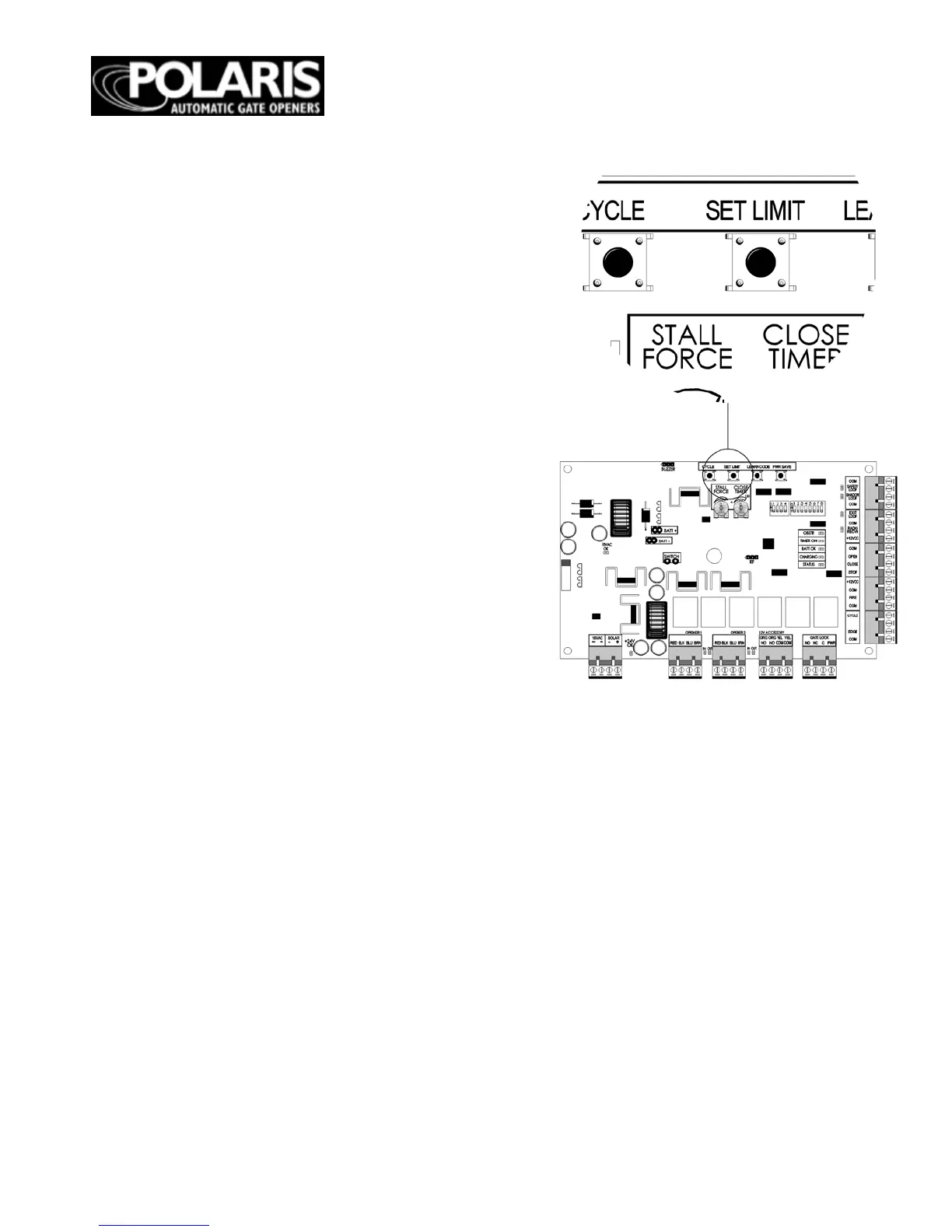
Press the cycle button on circuit board and the
gate will begin to open. Stop the gate using the
cycle button when
the desired limit has been
reached.
Step 3
Press and hold the “SET LIMIT” button until one
audible beep is heard to acquire the open limit
setting. The STATUS light will turn on
immediately upon pressing the SET LIMIT
button. The STATUS light will turn off and an
audible beep will verify the open limit is now set.
Step 4
Press cycle button on circuit board to return the
gate to the fully closed position.
Step 5
Again, using the cycle button open the gate to
verify it meets the desired location. If the gate did
NOT reach the desired open limit, proceed to step
6.
Step 6
CLEARING THE OPEN LIMIT SETTING:
a) Return the gate to the fully closed position.
b) Press and hold the SET LIMIT button until two
audible beeps are heard.
c) Two audible beeps will verify the open limit
setting is now clea
red.
Repeat steps 1 – 5 to program the gates
“open limit setting”.
WARNING: Do not use hand held
transmitters to program primary
and secondary limits. Only the
cycle button should be used until
final set up is complete to avoid
damage to actuators and voiding
warranty.
***Dip switch number 6 dictates which
gate is being affected by the set limit
button, whether setting or clearing the
limit. If dip switch 6 is in the up position,
it will set or clear the limit for the
secondary operator. If it’s in the down
position it will set or clear the limit for
the primary operator.***


 To Next Page