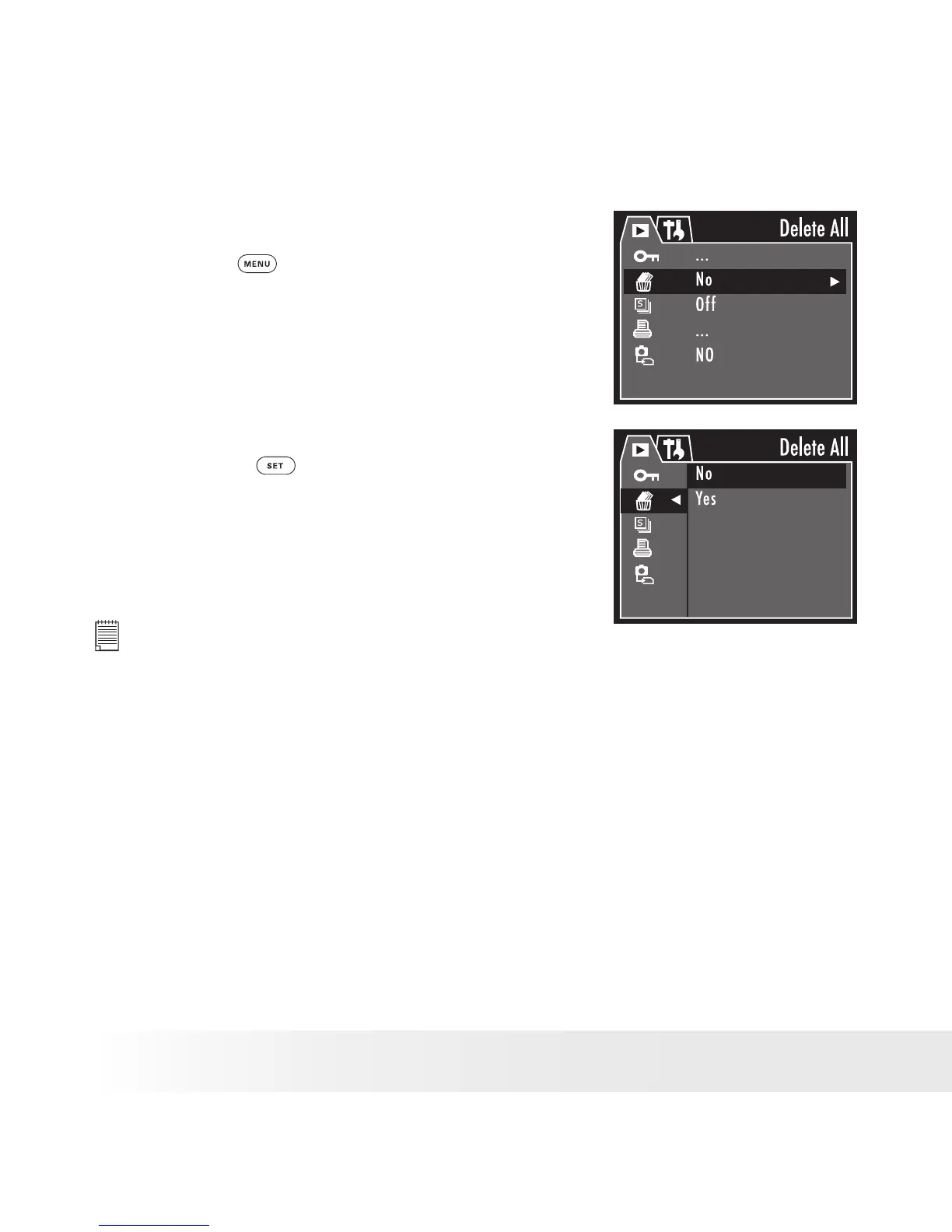
• Deleting All Pictures and Video Clips
1. Turn on the camera and set the camera to
Playback mode.
2. Press the
button.
3. Use the up or down button to select the
Delete All option.
4. Press the right button to access the Delete
All submenu.
5. Use the up or down button to choose “Yes”
to delete all les in the current memory, or
select “No” to cancel.
6. Press the
button to complete the
deletion operation.
NOTE:
• Protected les can not be deleted. Remove protection before deleting.
• All deleted picture and video clips can not be recovered.



 To Next Page
 Loading...





