63
Polaroid PDC 4350 Digital Camera User Guide
www.polaroid-digital.com
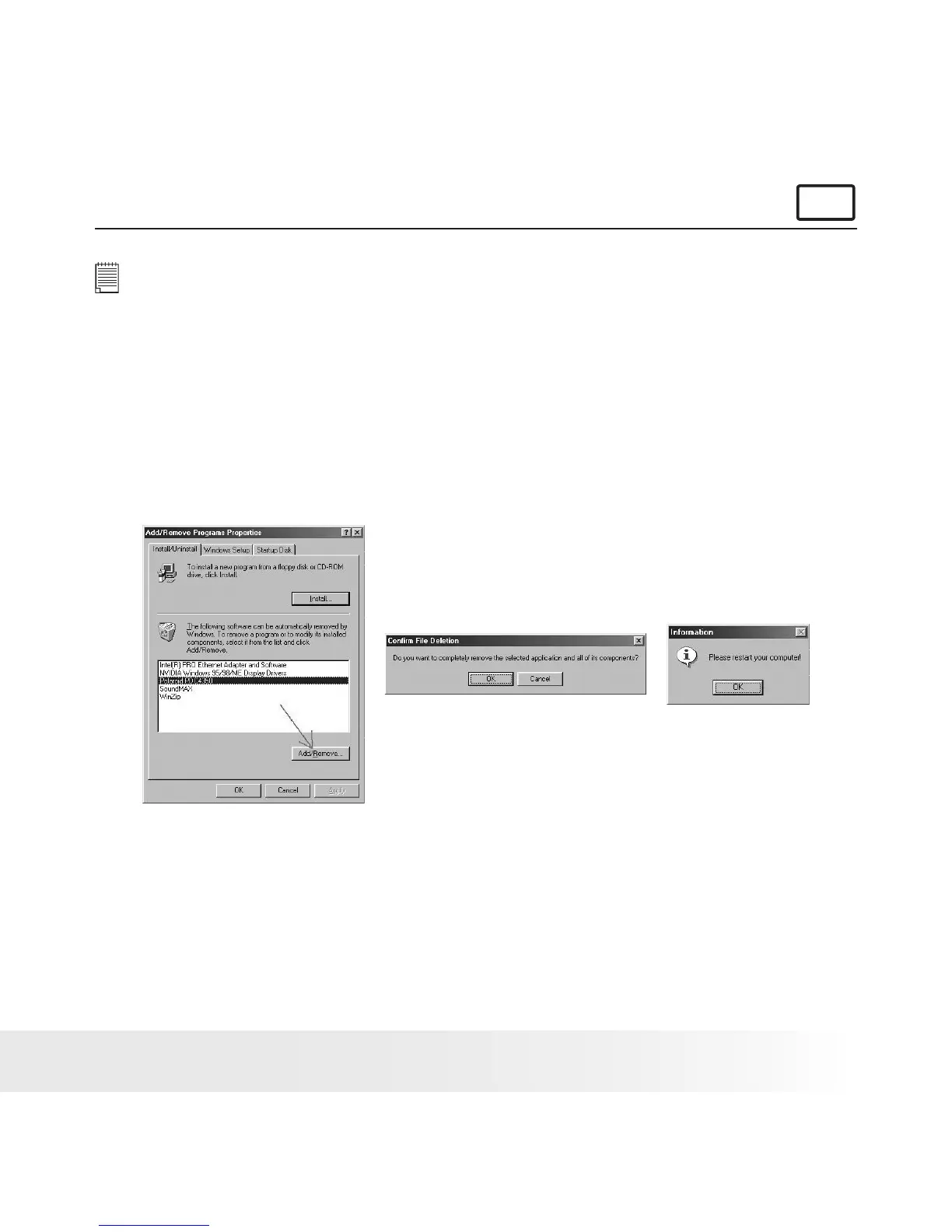
• Uninstalling Polaroid PDC 4350 Driver (PC Only)
For Windows® 98SE Users:
PC
NOTE:
The following driver uninstall procedure is for Windows 98SE users only
because only Windows 98SE needs to install the PDC 4350 driver.
1. Open Add/Remove Programs Properties in Control Panel and select
“Polaroid PDC 4350" program, then click Add/Remove .
2. The following dialog box appears, click "OK" to conrm removing
the camera driver.
3. The uninstallation program runs automatically, please restart your
computer when it is nished.



 To Next Page
 Loading...





