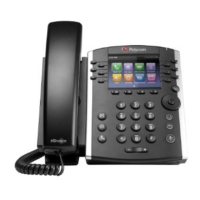
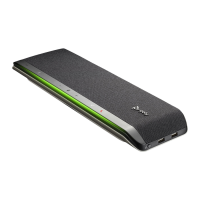
Phone user guide – Poly VVX350
9312 Interline Ave. Baton Rouge LA 70809 (225) 924-2700 pdvn.net
Conference (3-way) calls
When on an acve call, press the More so key then the Confrnc so key. Dial 2
nd
party and press Send. Wait for
the 2
nd
party to answer, then press More then Confrnc so key again to join the two calls together. Press Split so
key to resume individual calls. Press Hold so key to place conference call on hold. Press Manage so key to
mute, hold, or remove either of the calls..
TIP: When pressing Split so key to resume individual calls, you can press the Swap so key to move back and forth
between the calls.
Calling an extension on the system
Either dial the extension number or press the pre-programmed buon to call another extension. To call over
speakerphone, dial *0 then the extension number.
TIP: Submit a service request to have pre-programmed buons programmed on your phone.
Call Park
Call Park is an enhanced hold feature that will allow you to place a call on hold that can be retrieved from any
phone on the system. To place a call into a park orbit: Ask the caller to hold. Press an available Park orbit buon
on your phone – Park 1, Park 2 etc. That park buon will light in red on every phone on the system.
To retrieve a parked call, press the same park orbit buon. The call informaon will show on the display. If the call
is not retrieved, it will ring back to the phone that originally placed it on Park.
Voice Mail Set Up and Use
To set up your mailbox, press to access your voice mail. For the inial setup – you will be prompted to enter
your new password, then #. You will be prompted to reenter your password, then #. Then you will be prompted to
record a greeng.
Once your mailbox is set up, you will receive nocaons on your screen if you have new messages. Select to
call voice mail. Enter password when prompted.
You will hear how many messages you have. Press 1 to listen to your messages. When listening to messages, you
can press 1 to save or 7 to delete. You can also press 3 to forward a message to another mailbox on the system.
To update password, greeng, or name in mailbox: Press 5 to manage your mailbox.
To change greeng press 1. To change name, press 2. To change password, press 3.
Your system may be enabled with the voice mail to email feature. If so, voice mails will come to your email as a
.wav le and can be shared via email.
TIP: If you need a voice mail password reset, submit a service request.


 To Previous Page
 Loading...