EasyManua.ls Logo

Polycom SoundStation VTX1000 - User Manual

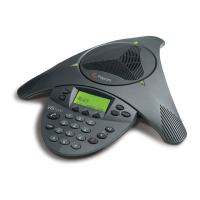
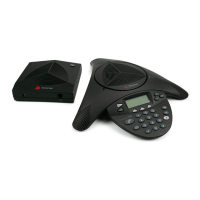
Polycom SoundStation VTX1000
8 pages
Print Icon
To Next Page IconTo Next Page
Loading...
THE "BRAIN" MODEL OF
INTELLIGIBILITY
IN BUSINESS TELEPHONY
WHITE PAPER
Jeff Rodman
Fellow/CTO
January 16, 2003
jrodman@polycom.com
©
2003 POLYCOM, INC. ALL RIGHTS RESERVED.
P
OLYCOM IS A REGISTERED TRADEMARK OF POLYCOM, INC. IN THE UNITED STATES AND OTHER COUNTRIES.

Other manuals for Polycom SoundStation VTX1000

Questions and Answers

  • J
    jenningsamyJul 27, 2025
    How to fix buzz or hum on audio from Polycom SoundStation VTX1000 Conference Phone VTX 1000 into auditorium?
    • J
      Jacob ColemanJul 27, 2025
      A buzz or hum on audio from the VTX 1000 into the auditorium can occur if the unbalanced cable from AUX OUT is too long. Install a direct box at the VTX 1000 interface module and use a balanced microphone to resolve this.
  • V
    Vanessa FloresAug 4, 2025
    Why does the auditorium hear loudness pumping up and down on the Polycom SoundStation VTX1000 Conference Phone?
    • S
      scottannaAug 5, 2025
      The far-end loudness may pump up and down if too much speaker sound gets into the microphone or if panel gains are being changed during the call, preventing the VTX 1000 echo cancellers from adapting correctly. To resolve this, try the following: * Turn down gains. * Move the talker away from the speakers. * Move the far-end talker closer to the microphone. * Leave panel settings alone during the call.
  • C
    Candice LamAug 16, 2025
    What to do if Polycom Conference Phone VTX 1000 doesn’t work after setup: lights are OK but there is no sound?
    • A
      Amanda SchwartzAug 16, 2025
      If the VTX 1000 doesn’t work after setup, and the lights are OK but there is no sound, the internal mics and speaker might be turned off. Turn on internal mics and speaker by navigating to MENU -> AUDIO SETUP.

Summary

The BRAIN Model of Intelligibility in Business Telephony

Introduction to Business Telephony Intelligibility

Sets the stage for the importance of speech intelligibility in business telephony and its historical context.

Key Characteristics of Business Telephony

Examines unique characteristics of business telephony that magnify the need for clear communication and understanding.

The BRAIN Model of Speech Intelligibility

Defines speech intelligibility and introduces the three stages of comprehension and the BRAIN model components.

Physical Elements of Intelligibility: The BRAIN Model

Details the five critical physical parameters: Bandwidth, Reverberation, Amplitude, Interaction, and Noise (BRAIN).

Optimizing BRAIN Parameters for Telephony

Discusses how to optimize BRAIN parameters to compensate for deficiencies and improve speech comprehension in telephony.

Conclusion: Advancements in Business Telephony Audio

Summarizes recent advances in BRAIN model areas and their impact on achieving better audio conference quality.

Polycom SoundStation VTX1000 Specifications

Power IconPower
console power22VDC nominal
subwoofer powerswitchable 110/220 V, 50/60 Hz
interface module power90 - 264 VAC, 50 - 60 Hz
Operating Environment IconOperating Environment
operating temperature40º - 104ºF (5º - 40ºC)
relative humidity20% - 85% (noncondensing)
storage temperature-22º - 131ºF (-30º - 55ºC)
Weight and Dimensions IconWeight and Dimensions
console size14.5 x 12.25 x 2.5 in (36.8 x 31.1 x 6.4 cm)
console weight1.75 lb (0.8 kg)
subwoofer size8.750 x 5.150 x 9.2125 in (2.22 x 1.31 x 2.32 cm)
subwoofer weight5.75 lb (2.61 kg)
interface module size3.125 x 7.75 x 1.875 in (7.9 x 19.7 x 4.8 cm)
interface module weight0.75 lbs (0.34 kg)

Related product manuals