● Cancel a meeting that a user scheduled through the Zoom Rooms Scheduler
Poly TC10 in Microsoft Teams Mode
In Microsoft Teams mode, Poly TC10 can run either as a Microsoft Teams Room Controller (paired
mode) or a Microsoft Teams Room Panel (standalone mode).
NOTE: To use Microsoft Teams Room Controller and Panel, you need a Microsoft Teams Rooms
account. For more see Microsoft Teams Rooms licenses.
Poly TC10 as a Microsoft Teams Rooms Controller
Positioned inside a conference room, paired to a codec, use the Poly TC10 as a touchscreen
controller for Microsoft Teams.
The following features and capabilities are available in Microsoft Teams controller mode:
● Placing and joining video calls
● Viewing and joining scheduled calendar meetings
● Managing contacts, call lists, and directories
● Sharing content
Poly TC10 as a Microsoft Teams Rooms Panel
A standalone Poly TC10 mounted outside a meeting room can run Microsoft Teams Panel to manage
a meeting space.
A Poly TC10 Microsoft Teams Panel provides the following:
● Current room status
● List of upcoming meetings
● Reservation capabilities
● Options to reserve, check-in to, or release the meeting space, if configured in the settings
Poly TC10 Controller Hardware Overview
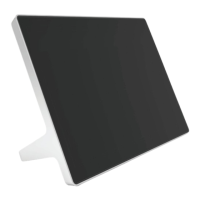
The following illustration and table outline the hardware features of the TC10 controller.
Figure 2-1 Poly TC10 hardware features
Poly TC10 in Microsoft Teams Mode
7


 To Next Page