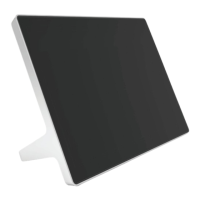
The following features and capabilities are available in Poly Video Mode:
● Placing and joining video calls
● Viewing and joining scheduled calendar meetings
● Managing contacts, call lists, and directories
● Managing shared content
– Taking snapshots
– Maximizing, minimizing, and stopping content
● Adjusting camera pan, tilt, zoom and tracking settings
● Creating camera presets
● Adjusting display brightness
● Using multiple Poly TC10 controllers to control a single system
● Pairing with video systems over the network (wired LAN) for flexible room setups
Poly TC10 Local Interface
The Poly TC10 controller’s local interface displays controls and settings available to you depending
on the mode you're using.
Home Screen in Poly Video Mode
The Home screen is the first screen you encounter in Poly Video Mode. From this screen, you have
quick access to many of the system functions.
NOTE: Some elements of your screen may be different depending on the system configuration.
4
Chapter 2Getting Started


 To Next Page