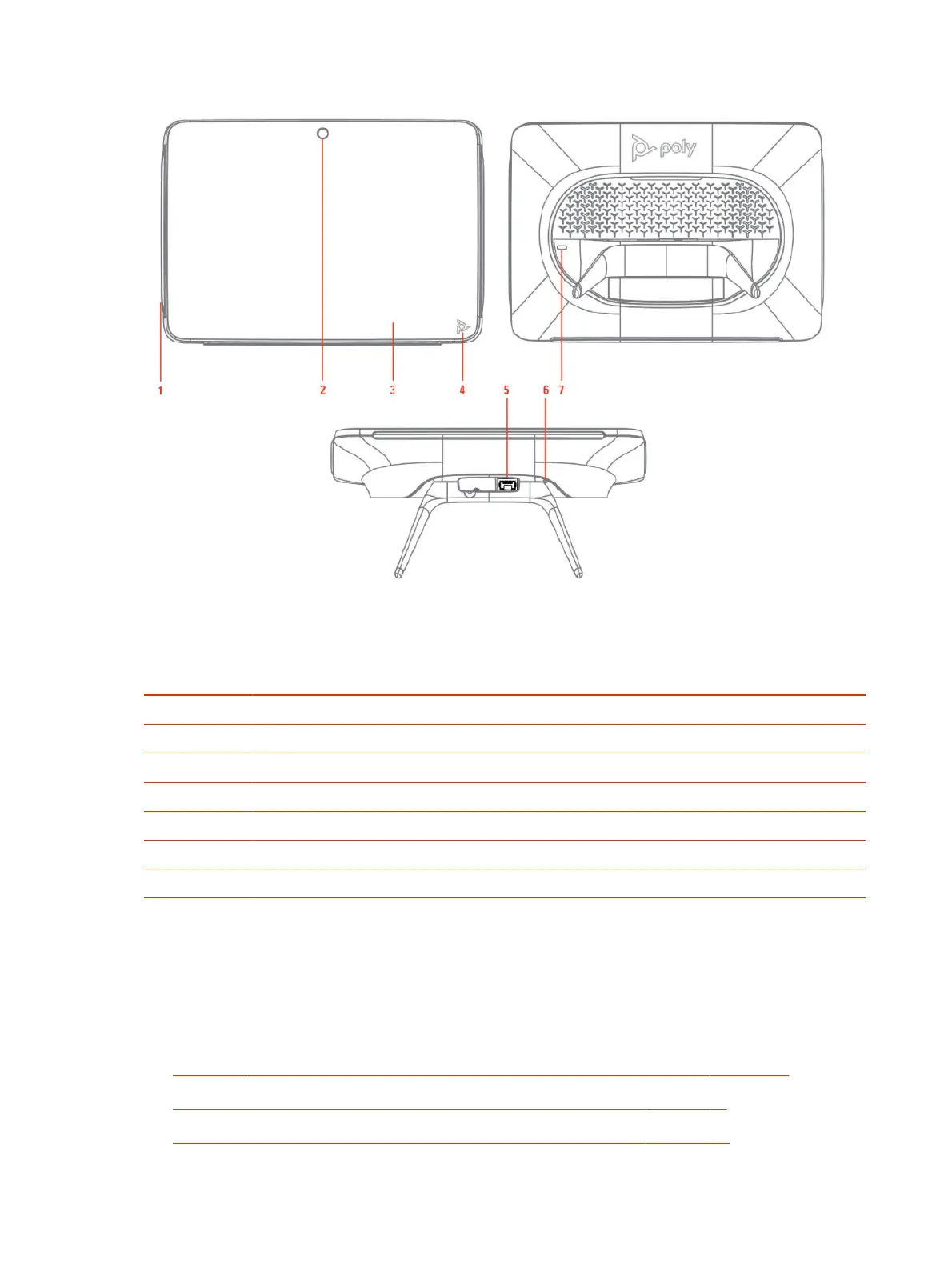
Table 2-3 Poly TC10 feature descriptions
Reference
number
Description
1 LED bar
2 Motion sensor to wake up display
3 Touchscreen
4 Poly touch button to launch Poly control dock menu
5 POE port
6 Factory restore pinhole
7 Security lock
Poly TC10 Status Bars
The Poly TC10 controller provides two LED bars on the right and left edges of the screen.
These LEDs help you understand the controller's behaviors. For more information, review the
following topics:
● Poly TC10 LED Status Indicators as a Room Controller in Poly Video Mode on page 21
● Poly TC10 LED Status Indicators in Zoom Rooms Controller Mode on page 22
● Poly TC10 LED Status Indicators in Zoom Rooms Scheduler Mode on page 22
8
Chapter 2Getting Started


 To Next Page