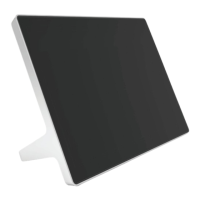
Setting Up the Poly TC10
Pair the TC10 with a Poly video system over your primary network or set it up in standalone mode.
IMPORTANT: Ensure your Poly TC10 has the latest software to use all the features of the system.
On initial powerup, if the system displays a Critical Update Required message, allow the device to
go through the update process before configuring and deploying.
Power the Poly TC10 with PoE
Because the Poly TC10 gets power through the LAN, the connection must support Power over
Ethernet (PoE).
■
Connect the Poly TC10 to your network using the supplied LAN cable.
Power the Poly TC10 with a PoE Injector
If your space isn’t equipped with Power over Ethernet (PoE), you can use a PoE injector to power the
Poly TC10.
1. Plug the AC power cord of the PoE injector into an accessible earthed mains outlet.
2. Connect the PoE injector to the Poly TC10 using a LAN cable.
3. Connect the PoE injector to your network with a LAN cable.
Set up Poly TC10 for the first time as a standalone device
As a standalone device, you can use the Poly TC10 device as a Zoom Rooms Scheduler or Microsoft
Teams Rooms Panel.
NOTE: The Settings menu is available throughout the setup process. Select the gear icon to
access system information, user settings, admin settings, and additional help.
1. Power on the Poly TC10 device by connecting it to a PoE-enabled Ethernet switch on the same
network as the conferencing PC.
2. If a Poly TC10 software update is available, select Update.
The Poly TC10 device updates and restarts.
3. Optional: Select the default language to change it, or choose dark mode by toggling to the moon
icon.
Setting Up the Poly TC10
11


 To Next Page