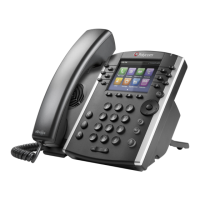
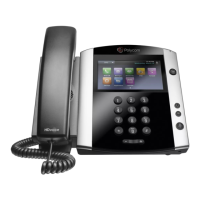
Polycom'VVX500/600'Quick'Referenc e'
! ! ! Ref:!080815!
'
'
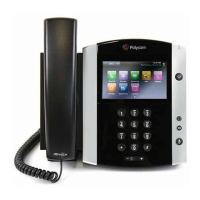
About the Touchscreen
Tap to select and highlight screen items. To scroll, touch
the screen and swipe your finger. To go back to a
previous screen, tap Back.
Handset Volume and Ringing Volume
To adjust the volume on the handset press the – or +
buttons during a call. To adjust the ringing volume, press
the – or + buttons outside of a call.
Answer an Incoming Call
Simply lift the handset to answer incoming calls, or tap
Answer on the touch screen. After answering the call
you can:
• Put the call on local hold
• Transfer the call
• Put the call on or off speakerphone
Place an Outbound Call
1. Tap New Call on the touch screen, enter the phone
number with the exit and area code and tap .
2. Lift the handset or press the speakerphone button
and then dial the desired number and tap .
Checking Voicemail
• To check your own mailbox from your phone, press the
Messages button, and follow the prompts.
• If you wish to check your messages from another
NocTel phone, dial *98 on the keypad. Follow the menu
prompts to enter your extension number and password.
You can then check your voicemail and change your
greetings using the prompts.
Dialing 911 [9-1-1]
If you need to dial emergency services from your phone,
you do not need to dial an exit code to access an outside
line before dialing 9-1-1.
Phone Views
Your phone has four main views: Home, Calls, Active Call,
and Lines Views.
Home View displays icons you can tap to access
functions.
• Touch and hold to display fewer icons.
• From home view tap the phone line to display your
phone lines view and favorites.
Lines View displays phone lines, favorites, and soft keys.
Calls Vew displays a list of all your current calls, with
soft keys to control the highlighted call. Call color
indicates status:
• Dark green is active call
• Dark blue is incoming and held calls
• Bright green is active call is highlighted
• Bright blue incoming of held call is highlighted.
Active Call View is if a phone line has only one call and
it’s active. Soft keys at the bottom of the screen will
control the active call.







 To Next Page
