EasyManua.ls Logo

PolyScience 300 Series - User Manual

PolyScience 300 Series
17 pages
Print Icon
To Next Page IconTo Next Page
Loading...
110-875 032114

Other manuals for PolyScience 300 Series

Questions and Answers

  • J
    Jessica PenaJul 27, 2025
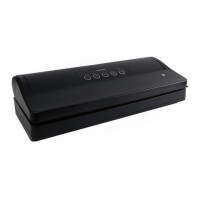
    How to fix PolyScience Kitchen Appliances vacuum sealer that will not turn on?
    • J
      Joshua SpencerJul 27, 2025
      If your PolyScience Kitchen Appliances vacuum sealer won't turn on, first ensure the electrical cord is properly plugged into a working, grounded outlet. If it's plugged in but still not powering on, press the power button. If the power cord is damaged or worn, do not use the unit and return it for repair.
  • K
    Kimberly MercadoAug 1, 2025
    What to do if my PolyScience Kitchen Appliances bags are not sealing properly?
    • A
      Alec EllisAug 1, 2025
      If your PolyScience Kitchen Appliances bags are not sealing properly, try increasing the seal time. Ensure the entire bag is over the seal bar without wrinkles, and wipe the inside of the bag clean to remove any food particles or debris from the seal area.
  • D
    Debra MortonAug 7, 2025
    Why is my PolyScience 300 Kitchen Appliances vacuum sealer not pulling a complete vacuum?
    • A
      Anthony ClarkeAug 7, 2025
      If your PolyScience Kitchen Appliances vacuum sealer isn't pulling a complete vacuum, first increase the Vacuum Level and/or Seal Time as required. Ensure the edge of the bag is correctly positioned across the seal bar, and the bottom of the bag mouth is properly clamped. Reposition the bag in the vacuum chamber if needed, smooth out any wrinkles along the seal bar, and check for gaps or flaws in the sealed end of the bag. Also, clean any crumbs or debris on the bag or seal bar.
  • J
    John GarciaAug 14, 2025
    What to do if my PolyScience 300 Kitchen Appliances heat-seal bag loses vacuum after being sealed?
    • S
      sotokimberlyAug 14, 2025
      If your PolyScience Kitchen Appliances heat-sealed bag loses vacuum after being sealed, it could be due to a puncture. Cover any sharp edges with a paper towel and vacuum package in a new bag. Alternatively, it could be due to out-gassing. Open the bag and check for spoilage. If spoilage hasn't begun, consume immediately.
  • L
    Laura WhiteAug 20, 2025
    Why are my PolyScience 300 Kitchen Appliances canisters not vacuuming properly?
    • A
      Andrew HuntAug 20, 2025
      If your PolyScience Kitchen Appliances canisters are not vacuuming properly, ensure the external vacuum hose is fully inserted into the canister lid and securely attached to the vacuum hose port on the Chamber Vacuum Sealer. Allow at least 1 inch (2.5 cm) of space between the surface of the items in the canister and the lid. Also, check the canister, lid, and seal for any damage.

Summary

Important Safeguards

Seal Bar Installation

Control Panel

Core Operation Buttons

Buttons for powering, starting, stopping, sealing, and clearing operations.

Parameter Setting Controls

Buttons for selecting vacuum level, marinate time, seal time, and presets.

Digital Display & LED Status

Set-Up

Vacuum; Seal Preset

Marinate Preset

Day-to-Day Operation

Automatic Vacuum Packaging

Steps for vacuum sealing using pre-set automatic cycles.

Canisters & Bottles

Manual Vacuum Packaging

Marinating or Pickling Food Items

Running a Preset Program

Calibration

Restoring Factory Default Settings

Routine Cleaning

Troubleshooting

Error Messages

Warranty

PolyScience 300 Series Specifications

General IconGeneral
BrandPolyScience
Model300 Series
CategoryKitchen Appliances
LanguageEnglish

Related product manuals