EasyManua.ls Logo

PolyScience Sous Vide Professional - User Manual

PolyScience Sous Vide Professional
20 pages
Print Icon
To Next Page IconTo Next Page
Loading...
USER’S GUIDE
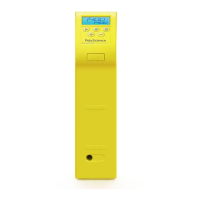
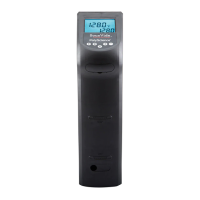
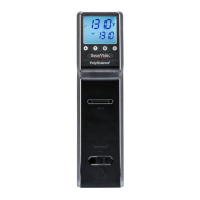
Sous Vide Professional™
CLASSIC Series Immersion Circulator &
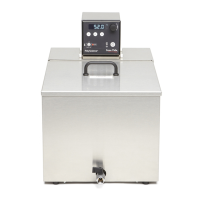
CLASSIC Series Integrated and Economy Bath Systems
PRECISE TEMPERATURE COOKING SYSTEM
110-888 071713

Questions and Answers

  • M
    Mr. Daniel Mccoy Jr.Aug 14, 2025
    What to do if the digital display is blank on my PolyScience Kitchen Appliances?
    • T
      Tara SmallAug 14, 2025
      First, make sure the power cord is properly plugged into a working electrical outlet and that the Power Switch on the rear of the unit is in the 'ON' position. Also, check your main electrical power supply for any issues like a tripped circuit breaker.
  • C
    Chad SheppardAug 17, 2025
    Why is my PolyScience Kitchen Appliances not heating properly?
    • L
      Lisa DawsonAug 17, 2025
      First, allow sufficient time for the cooking temperature to stabilize when increased. Check if the heating icon is flashing; if not, ensure that the Safety Set temperature and the Software High Limit temperature are higher than the cooking temperature set point, and that the cooking temperature set point is higher than the cooking liquid temperature. If the heating icon is flashing, inspect the heater for scale or mineral deposits.
  • J
    Jacob SchroederAug 21, 2025
    How to fix no circulation in PolyScience Kitchen Appliances?
    • L
      lbarrAug 21, 2025
      Check that the cooking liquid level covers the pump head. Then, verify the Pump Speed Switch on the rear of the Controller is at the desired speed and not in between settings. Finally, inspect the pump impeller for any blockages and clean if necessary.
  • S
    Shelby MirandaAug 25, 2025
    What to do if the cooking temperature set point cannot be maintained in PolyScience Kitchen Appliances?
    • K
      Kevin MartinAug 26, 2025
      Allow sufficient time for the cooking liquid to stabilize at the desired temperature. Also, make sure the reservoir cover is properly in place.
  • D
    dkingAug 28, 2025
    Why doesn't food cook uniformly in my PolyScience Kitchen Appliances?
    • J
      Jennifer GibsonAug 28, 2025
      Uneven cooking can occur if the food portions are not equal in size or if the liquid-to-food ratio is too low. Make sure the food portions are equal in size and use enough liquid.
  • G
    Gregory JensenSep 1, 2025
    What does FLt3 mean on my PolyScience Kitchen Appliances, and how do I fix it?
    • O
      omartinezSep 1, 2025
      FLt3 may appear because of a low liquid level, a cooking temperature setting and/or liquid temperature higher than the Safety Set temperature, or a Controller failure. Check the fluid level in the reservoir and replenish if needed. Also, check the cooking temperature set point and adjust it or the Safety Set temperature as required. If the problem continues, contact PolyScience.
  • C
    Corey WilliamsSep 5, 2025
    How to resolve E-H1 error on PolyScience Kitchen Appliances?
    • E
      Erica LaneSep 5, 2025
      To resolve the E-H1 error, either lower the cooking temperature setting or enter a higher Software High Limit temperature value.
  • M
    Mark MirandaSep 9, 2025
    What does FLt4 mean on my PolyScience Kitchen Appliances?
    • C
      crystalknightSep 9, 2025
      FLt4 indicates a triac failure or electrical line interference. Connect the unit to another electrical power source; if the problem continues, contact PolyScience.

Summary

Important Safeguards

Save These Instructions

Controls & Components

Temperature Controller

Overview of the temperature controller interface and its components.

Immersion Circulator

Stainless Steel Integrated Bath System

Polycarbonate Economy Bath System

Quick Start

Set-Up

Day-to-Day Operation

Turning the Unit ON

Steps to power on the temperature controller and begin standby mode.

Setting the Cooking Temperature

Procedure for setting the desired cooking temperature on the controller.

Calibration

Cleaning & Storage

Resetting the Over-Temperature Safety

Troubleshooting

Specifications

PolyScience Sous Vide Professional Specifications

General IconGeneral
BrandPolyScience
ModelSous Vide Professional
CategoryKitchen Appliances
LanguageEnglish

Related product manuals