Visit www.inverx.com.au for more information Page 13 of 23
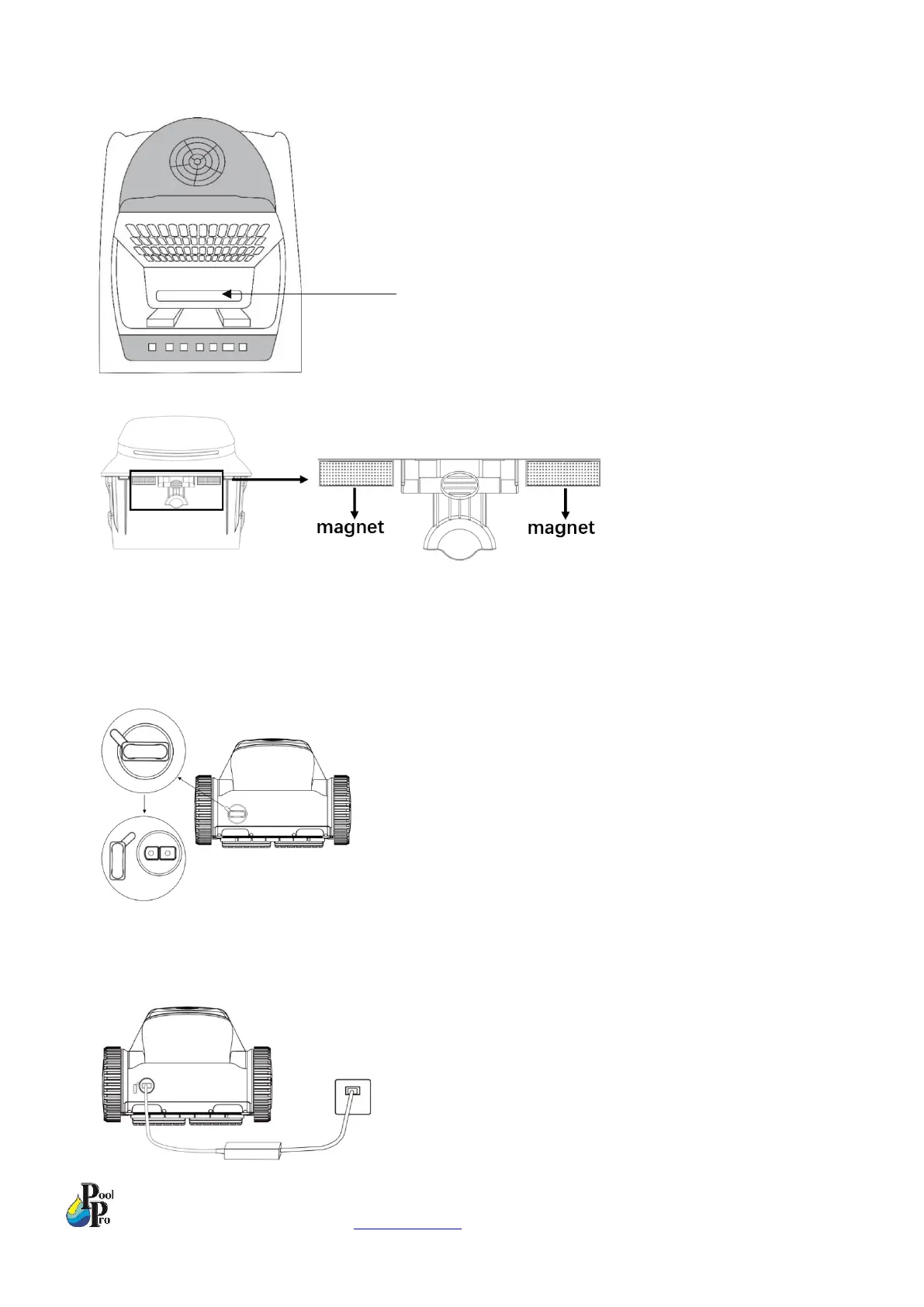
8. Check the water inlet is free of debris and clean accordingly.
9. Close the basket and re-insert the basket into the robot, ensuring both magnets reconnect.
2.5 Charging the Robot
1. Take the cover off the charging port. The charging port cover will remain tethered to the robot’s body – do not
lose the charging port cover. Do not submerge the robot in water without the charging port cover inserted into
the charging port.
2. Ensure the charging port on the robot, and the charger, are dry.
3. Plug the charger into the robot first and then into a 240V power supply. When the battery light on the robot is
flashing green, the robot is charging.


 To Next Page