Visit www.inverx.com.au for more information Page 7 of 23
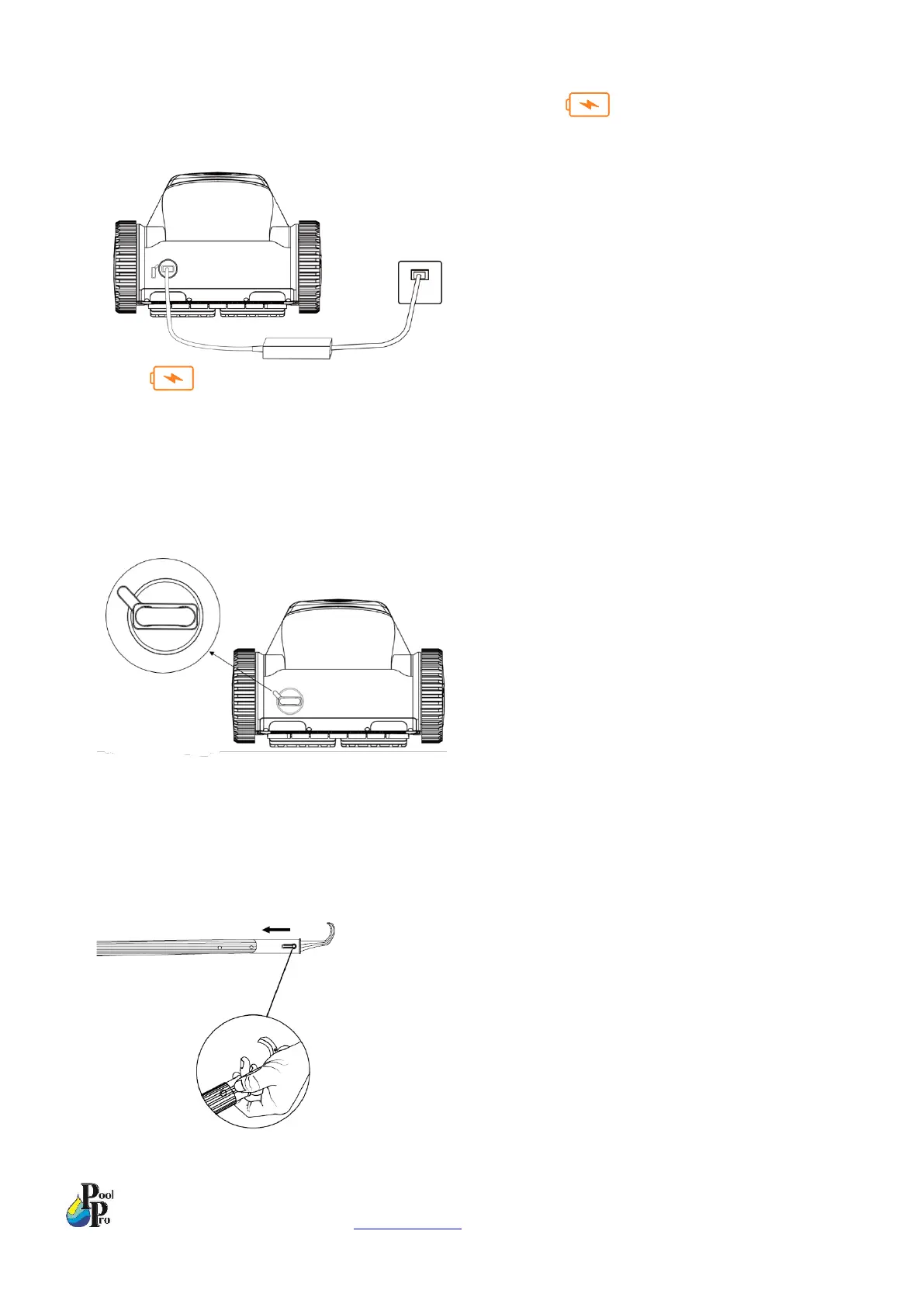
4. Plug the other end of the charger into a 240V power supply. When on the robot is flashing green, the
robot is charging.
When on the robot has 3 green lights on, the robot is fully charged. Note: Please fully charge the
robot before the first use.
5. Once the robot is fully charged, turn the power off at the wall, then unplug the charger from the robot and the
power supply. Store the charger in a safe place. To protect the battery, do not leave the charger plugged into
the robot after charging has completed.
6. Re-insert the charging port cover back into the robot.
Note: Do not charge the robot outdoors.
Note: Recommended ambient temperature for charging is 6°C – 35°C.
Note: Only use the genuine charger to charge the robot. Using any other charger will void the warranty.
7. Install the hook onto your telepole. (Telepole not included). This hook is to help you lift the robot up to the
surface of the pool water when you want to remove the robot from the pool.


 To Next Page