REV. 032017
13
S3.6 Temperature recording intervals setting
1. Go to SERVICE menu by pressing the SERVICE button.
2. Go to the PARAMETERS menu and press ENTER
3. Select Parameter level 1 and press ENTER
4. Select the CLOCK AND RECORDING SETTING and press ENTER
5. Set the required recording interval ItP (min), default 15 min.
Press ENTER, set with arrow keys and confirm by pressing ENTER.
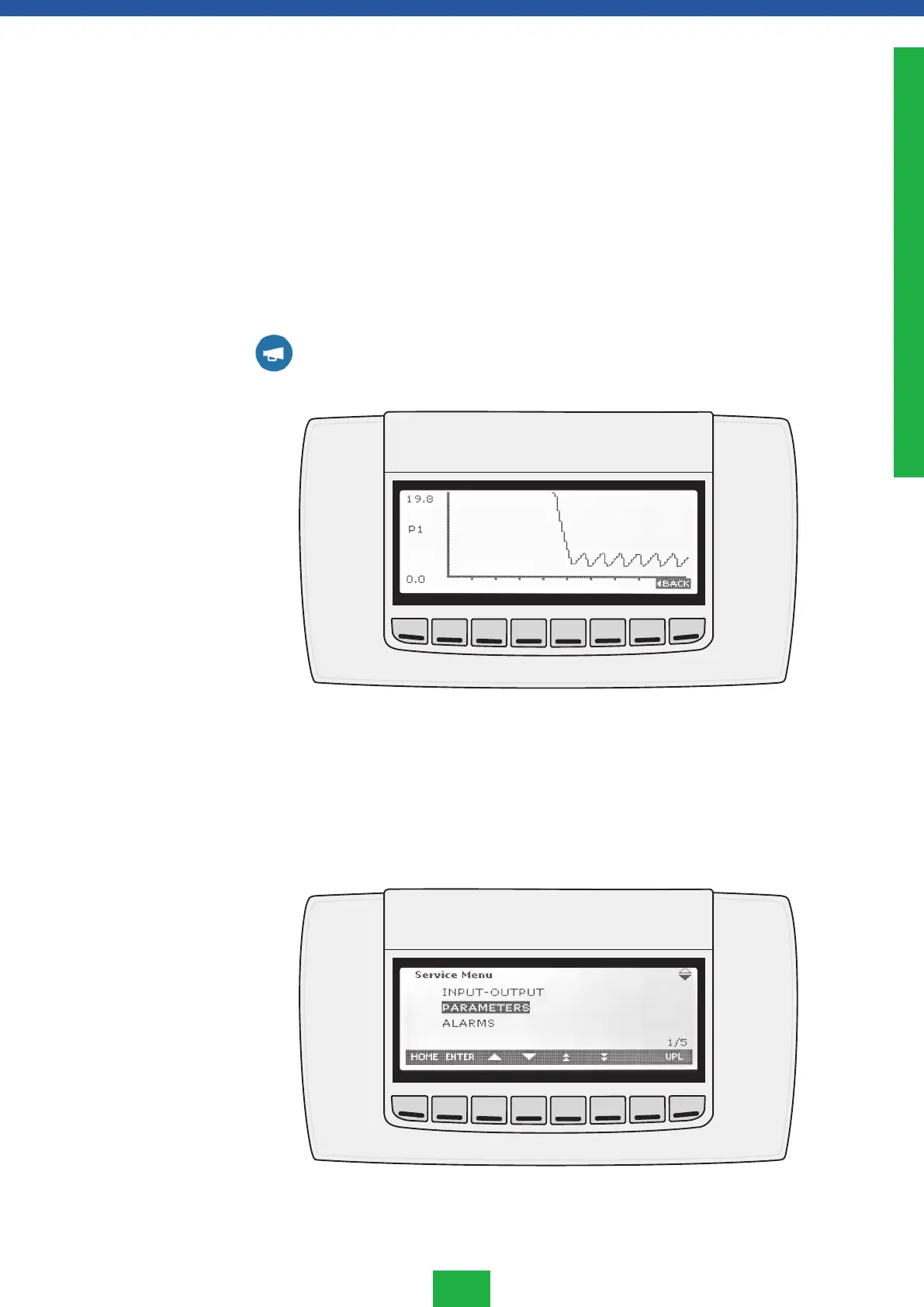
NOTE! The recording interval affects the length of the displayed temperature diagram,
being always the last 100 recordings:
Interval Diagram
15 min 25 h
30 min 2 days 2 h
45 min 3 days 3 h
60 min 4 days 4 h
6. Go back to main menu by pressing the HOME.
All other service menu settings must only be altered by an authorised service agent.
S3. Daily use
Service menu
ENGLISH



 To Next Page