REV. 032017
5
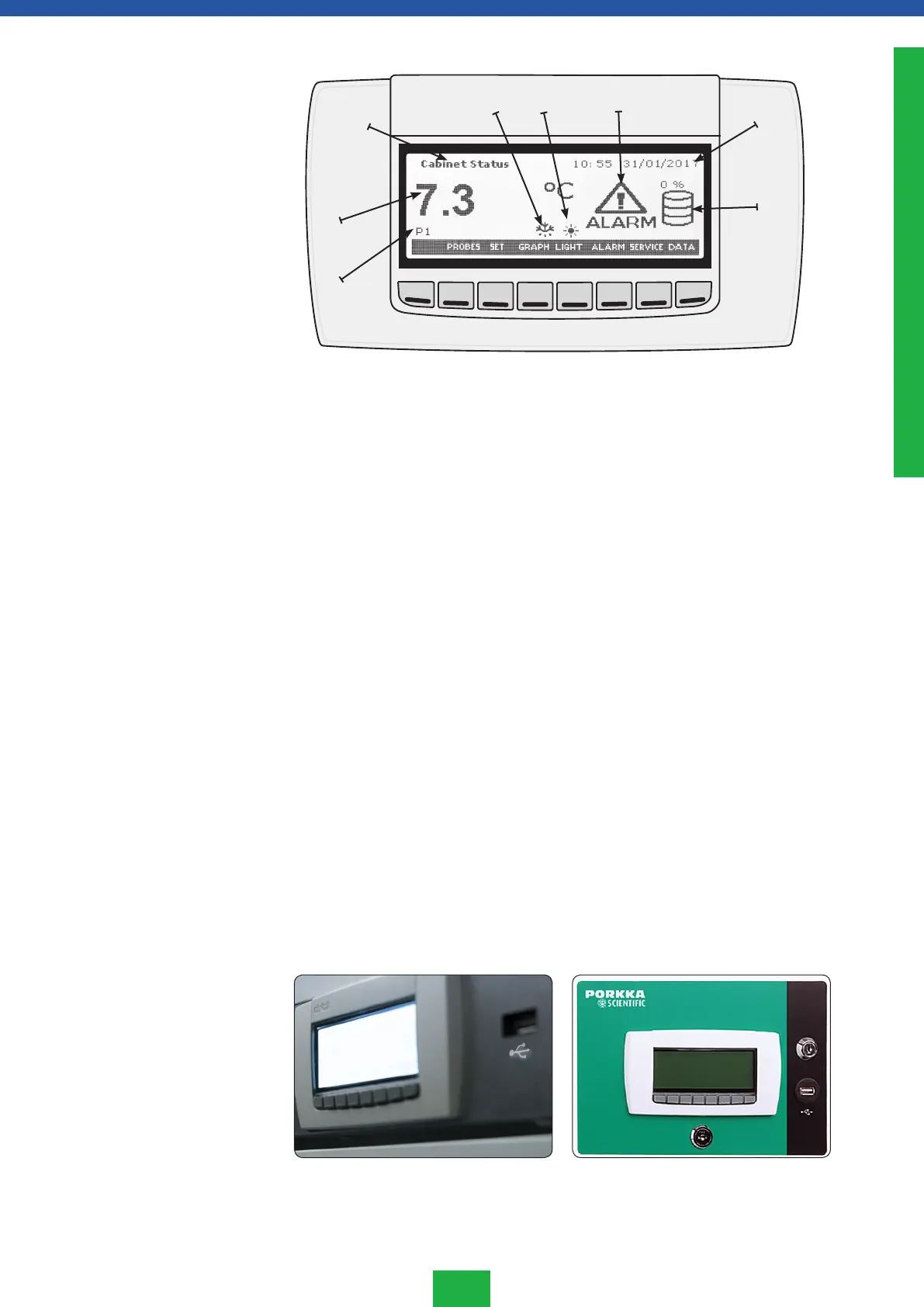
Symbol legend:
(1) Probe displayed (P1, P2, P3 or P4)
(2) Probe temperature measurement
(3) Frame information
(4) Defrost icon appears when defrost is running
(5) Light icon appears when light output is activated
(6) The alarm icon will flash when an alarm is present
(7) Time (HH:MM) and date DD/MM/YYYY (format depending on EU
parameter)
(8) Percentage of memory used and data log: both percentage and icon
will be present only if the data log function is activated.
Keys:
HOME Return to the main menu from a submenu
PROBES To change the displayed probe.
NOTE: it browses only between the present probes.
SET Set point: temperature control menu
LIGHT To switch the light on or off (option)
ALARM Alarm: to enter the alarm menu
SERVICE Additional functions and service menu
BACK/EXIT/UPL BACK/EXIT returns one level up from a submenu
UPL backup copy in service menu
S1. Home screen
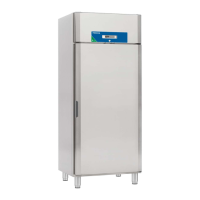
S1.1 USB
USB connector is below the battery backup switch.
(1)
(2)
(3)
(4) (5) (6)
(7)
(8)
ENGLISH



 To Next Page