REV. 032017
7
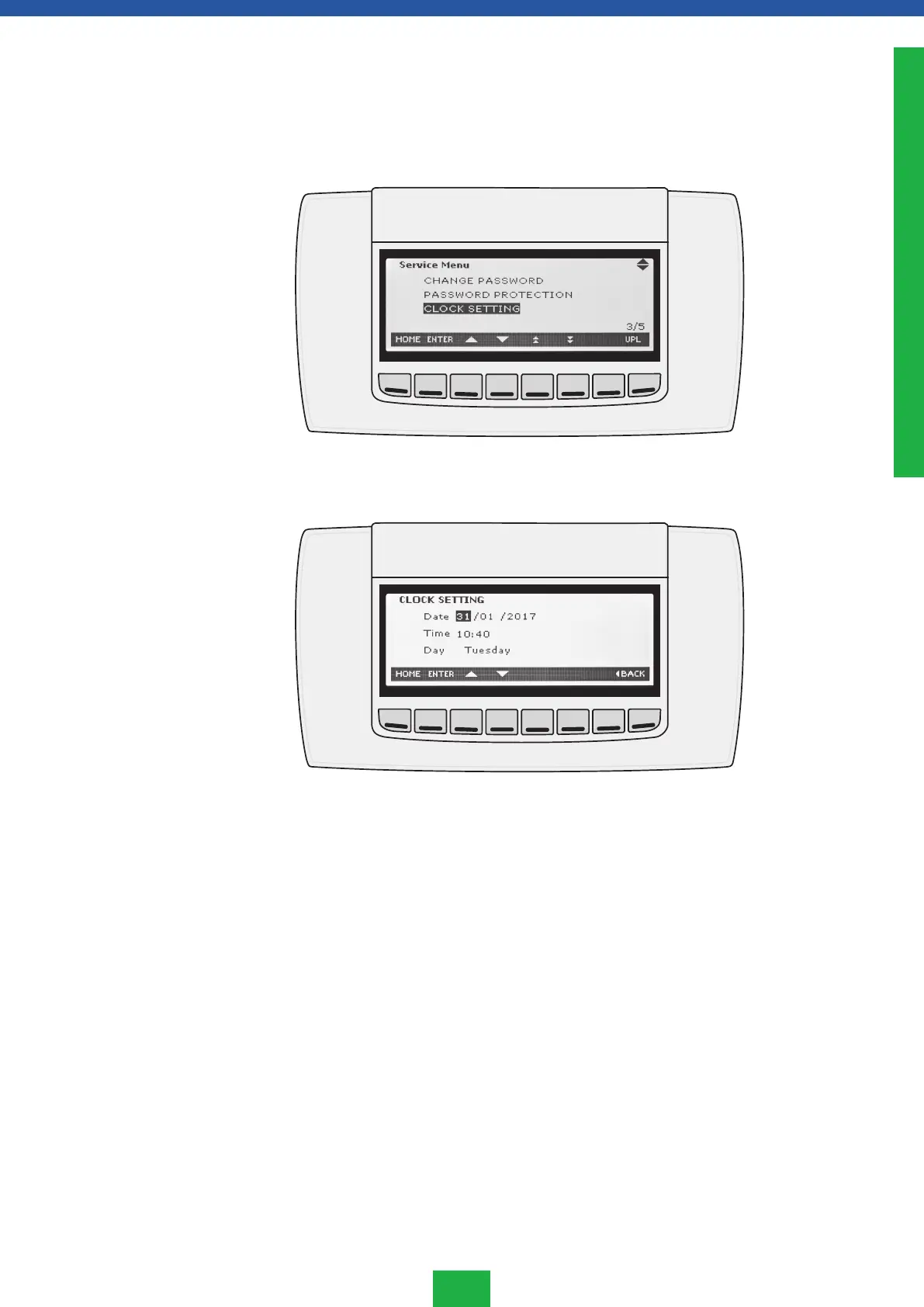
S2.3 How to set time and date
Set the real-time clock at the correct time as follows:
1. Go to the SERVICE with SERVICE button.
2. Use arrow keys to go to the row CLOCK SETTINGS and press ENTER
3. Choose the day or time field you want to edit the UP and DOWN arrow keys and press
ENTER on the information to be changed when it begins to flash.
4. Edit the information with UP and DOWN arrow keys and press ENTER to save the
information.
5. Go back by using the HOME button.
ENGLISH






 To Next Page