REV. 032017
15
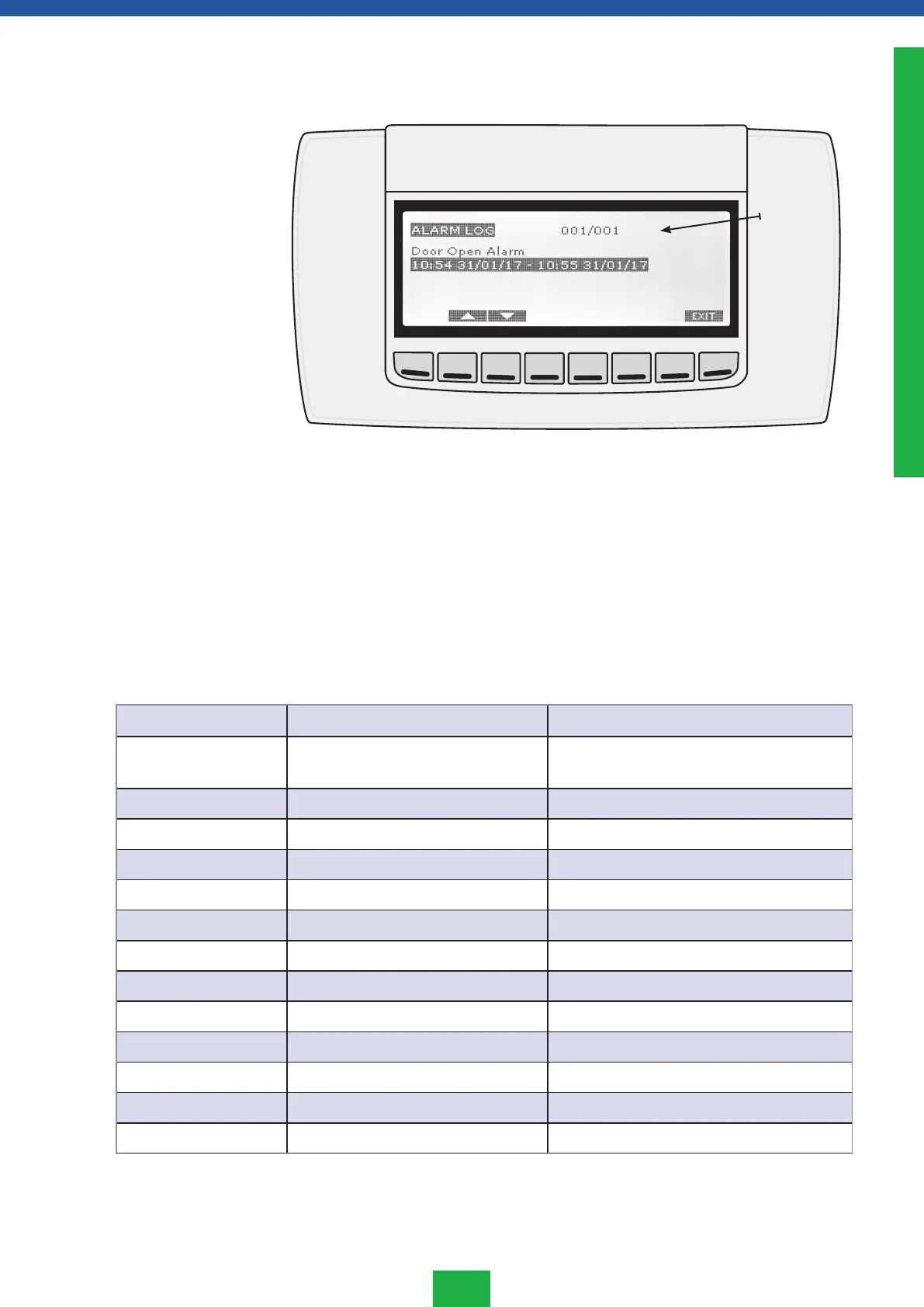
Press the LOG key in the ACTIVE ALARMS screen to enter the ALARM LOG menu. In this
menu all the stored alarms can be analysed (one for each screen).
(13) = Alarm selected / total number of logged alarms
For each alarm the starting time and date and the finish time and date are recorded.
Press the EXIT key to return to the ACTIVE ALARMS menu.
The alarm code is displayed until the temperature returns to within the set parameters. All
the alarm codes alternate with the internal cabinet temperature, except for the parameter
P1 which is flashing.
Alarm history menu
(ALARM LOG)
Alarm signals
Code Cause Output
”P1” Regulating probe TR3 failure Alarm output ON; Compressor output accord-
ing to parameters Con and CoF.
”P2” EVP probe failure Alarm output ON; Other outputs unchanged
”P3” Logging probe TL1 failure Alarm output ON; Other outputs unchanged
”P4” Logging probe TL2 failure Alarm output ON; Other outputs unchanged
”HA1” High temperature alarm, probe P1 Alarm output ON; Other outputs unchanged
”LA1” Low temperature alarm, probe P1 Alarm output ON; Other outputs unchanged
”HA3” High temperature alarm, probe P3 Alarm output ON; Other outputs unchanged
”LA3” Low temperature alarm, probe P3 Alarm output ON; Other outputs unchanged
”HA4” High temperature alarm, probe P4 Alarm output ON; Other outputs unchanged
”LA4” Low temperature alarm, probe P4 Alarm output ON; Other outputs unchanged
”dA” Door open alarm Compressor and fans depend on “rrd”
”EA” External alarm Output unchanged.
”CA” Serious alarm All outputs OFF.
(13)
ENGLISH



 To Next Page