4
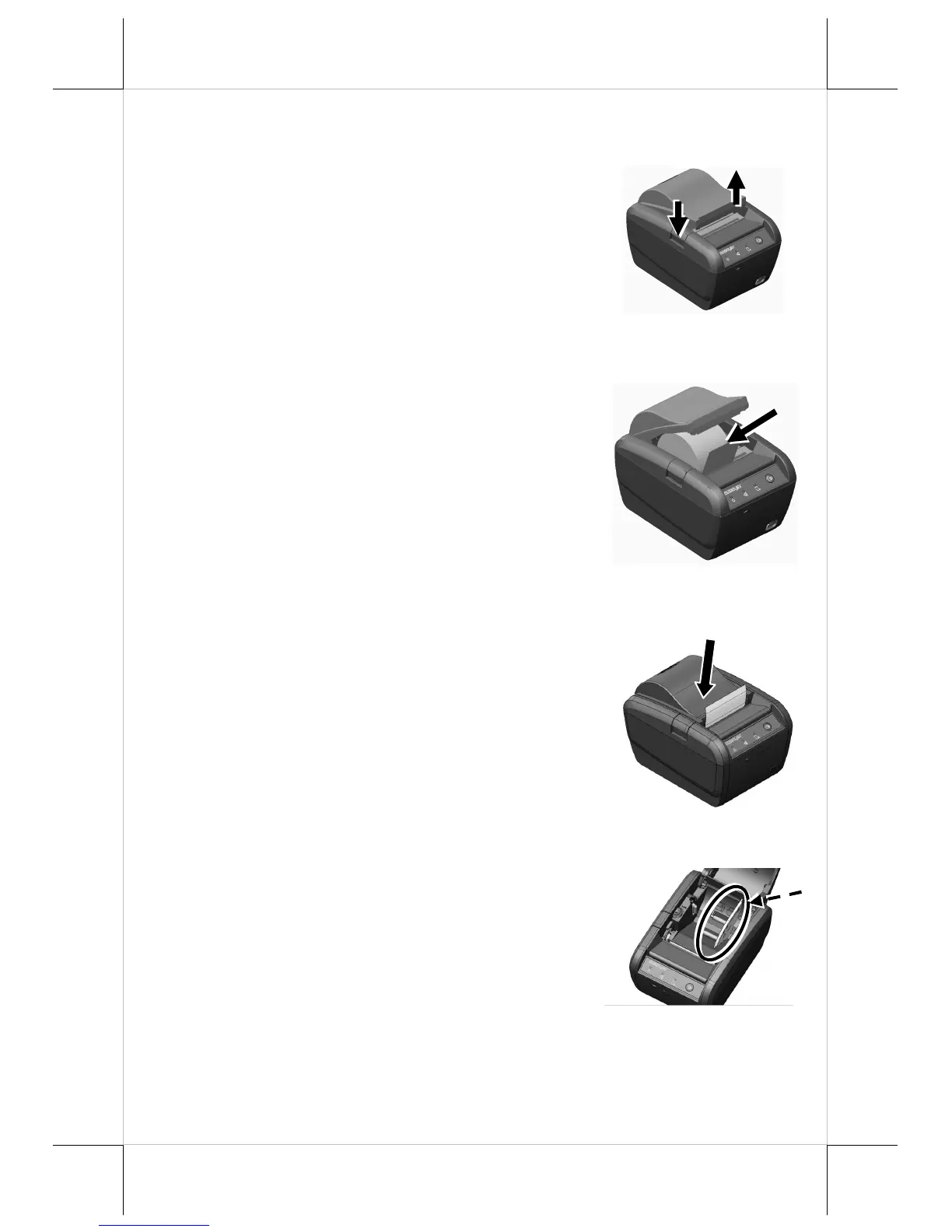
1. Press down the hood release button to
release the paper cover.
2. Raise the released paper cover manually and
drop the thermal paper roll inside the printer
as shown in the right figure.
3. It is essential to close the paper cover by
pushing its middle leading edge, so as not to
apply uneven force, resulting in not fully
engaged activity, and make the tail of the
paper roll come out of the track between the
hood and the top cover.
Excessive paper will be cut off
automatically when the printer is powered
ON.
4. If you want to use a paper roll of 58mm
width, install the spacer plate in the
compartment of the printer, as shown in the
right figure, and then load the paper roll of
58mm width into the partition at the left
side of the plate.















 To Next Page