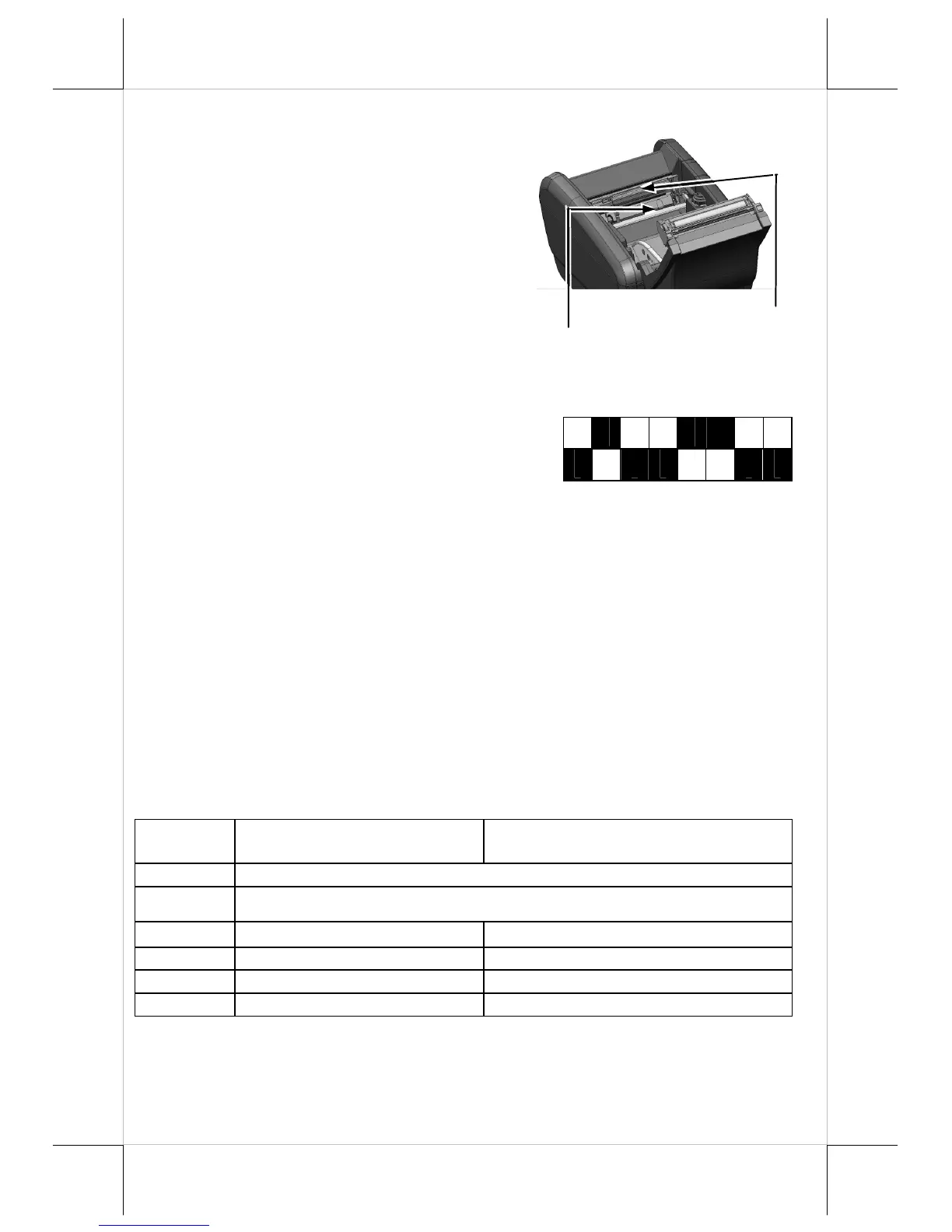
PRINT HEAD CLEANING
The print head is located underneath the
roll paper passage at the exit. You can
clean the thermal sensitive elements of
the print head and paper roll sensor
gently by using a cotton swab moistened
with isopropyl alcohol solvent.
PRINTER SETUP
There are two different ways to set up PP-
6900/6901. The first way of setup is
implemented through the hardware DIP Switch
on the bottom of printer for setting up
functions such as baud rate, paper width and
others. The second one is implemented through a software utility to adjust the
switch, such as printer density and other functions.
Setup
through
Hardware DIP
Switch
On the bottom cover of the PP-6900/6901 series thermal sensitive printer,
there is a screwed metal plate for setup window. In this window, there is
an 8-position DIP switch for printer setup. Please use a proper tool to
change the switch setting, if necessary. The functions of each position
may evolve with the revisions of the firmware. The information below is
regarding DIP Switch Position Behavior Table.
DIP Switch Position Behavior Table
Switch
position
ON OFF
1~2
Baud rate definition (Refer to the table below)
3~4
Paper Width & Printable Width (Refer to the table below)
5 Print speed (200 mm / sec) Print speed (170 mm / sec)
6
USB interface (Default) Other interface
7
Auto Cutter Disable Auto Cutter enable
8
Firmware Update Enable Firmware Update Disable
Paper Roll Sensor















 To Next Page