Loading a Paper Roll
Before loading a paper roll, make sure you use a specified paper type. Follow
the steps below to load a paper roll.
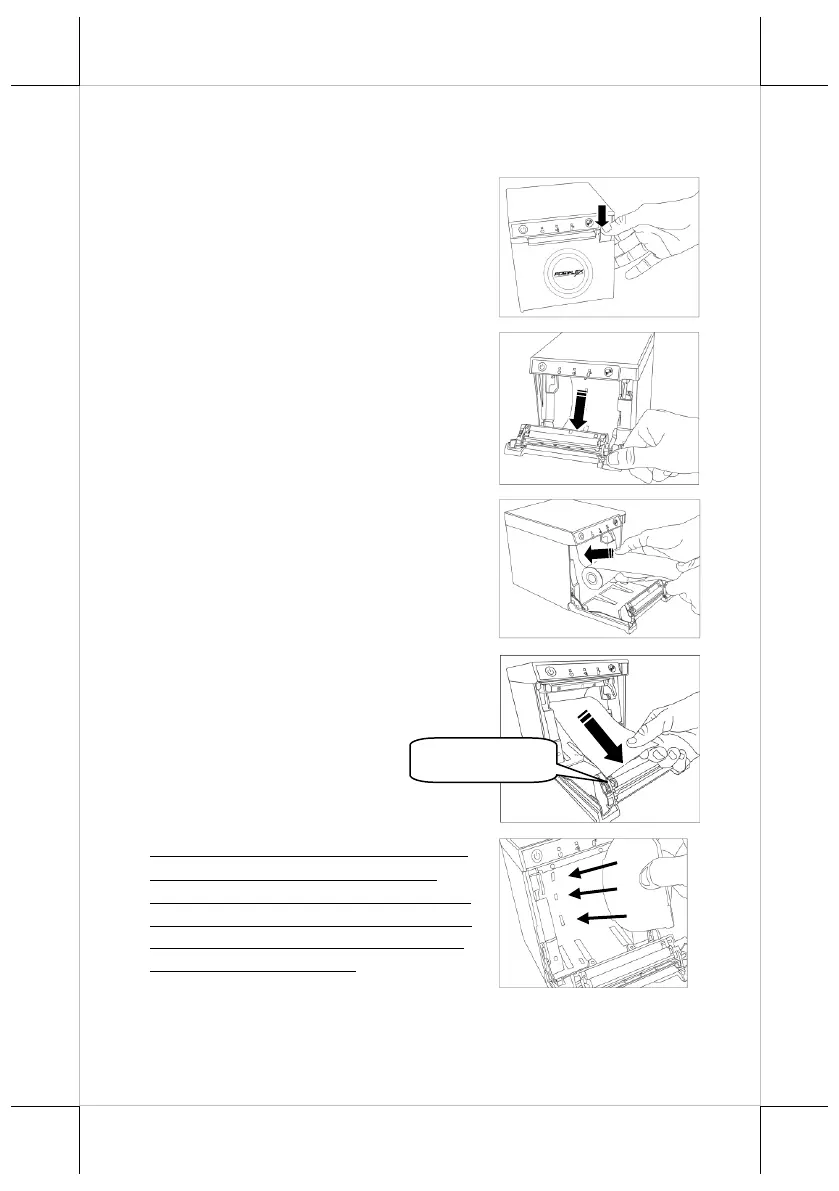
1. Press down the cover open lever to
release the paper cover.
2. The paper cover ejects. Then, open the
paper cover manually.
3. Drop the 80mm-wide thermal paper
inside the paper compartment of the
printer, as shown in the right figure.
4. Drag the paper roll to the portion where
the paper roller is installed.
If you want to use a paper roll of 58mm
width, install the spacer plate in the
compartment of the printer, as shown in
the right figure, and then load the paper
roll of 58mm width into the partition at
the right side of the plate.















 To Next Page