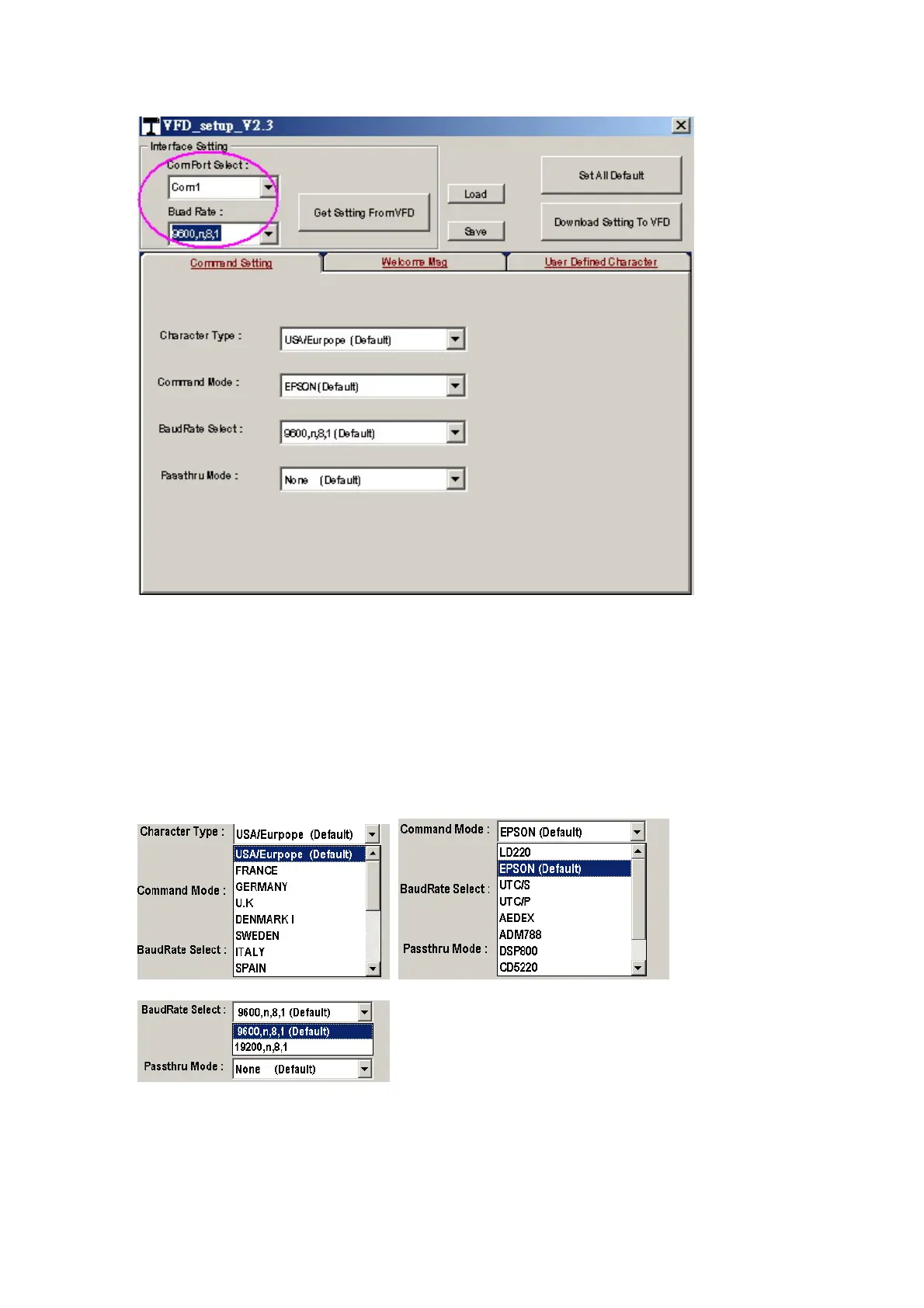
The Baud Rate will show on states page of the Utility (Note: You may check it
when power on the display)
3. “Get Setting From VFD” button
To get all setting from the display and it’ll refresh the “VFD_Setup.exe” utility
4. “Character Type”/ “Command Mode”/ “BaudRate Select”/ “Passthru Mode”
Please refer to Chapter 4-5 user manual
5. “Set All Default” button
To show default setting, the Default table is,
Character Type :USA


 To Next Page