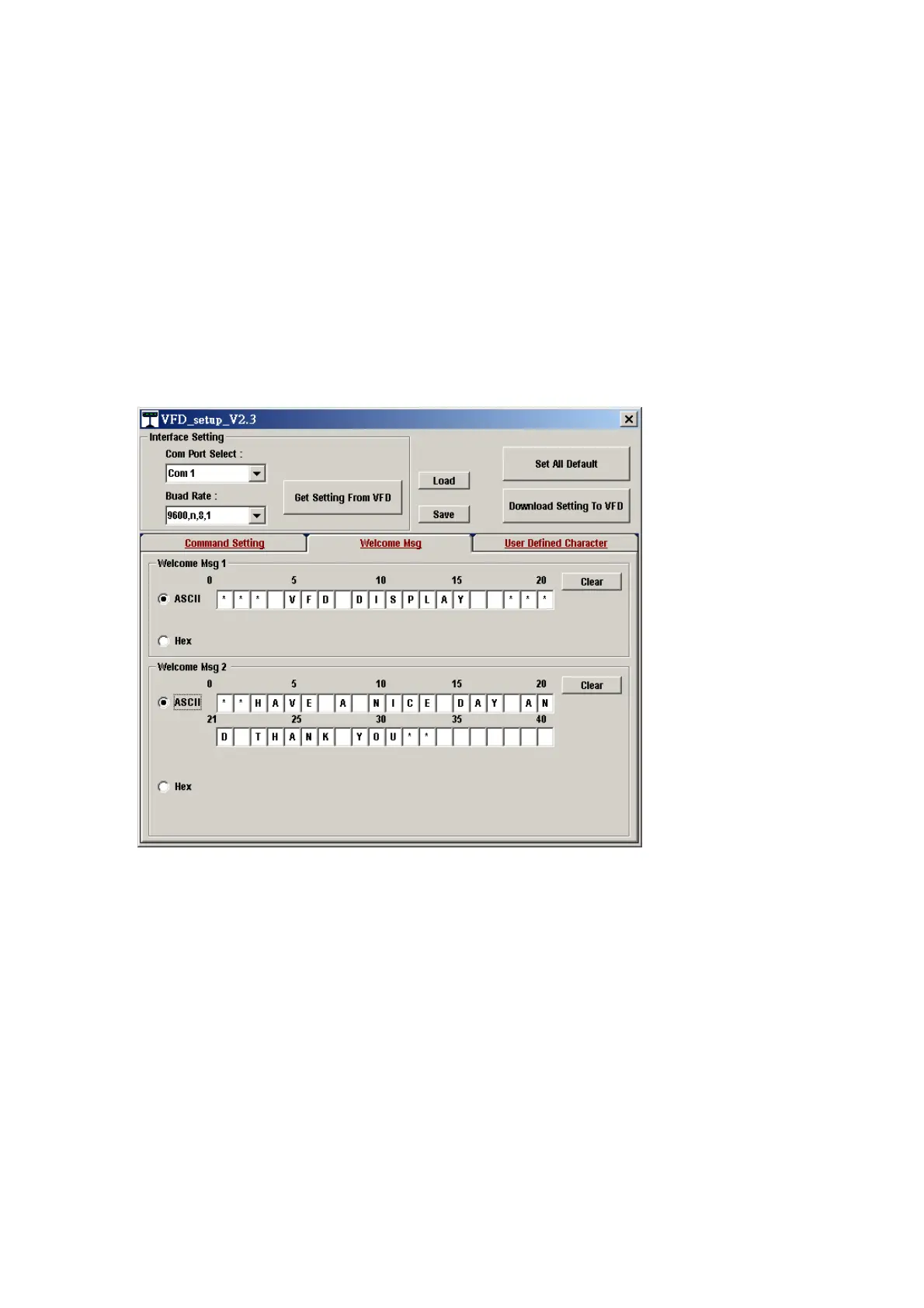
Command Type :EPSON
BaudRate Setting :9600/n/8/1
Passthru Mode :None
Welcome msg line1 :*** VFD DISPLAY ***
Welcome msg line2 :**HAVE A NICE DAY AND THANK YOU**
6. Welcome Msg
Welcome Msg line1 maximum 20 characters, line 2 maximum 20 characters,
total of 40 characters.
a. ASCII mode
You can type the character by keyboard (0x20h ~ 0x7Fh), if you press clear icon, it
will clear the all Msg characters on AP.
b. Hex mode
Hex mode can define the character from 0x20h to0xFFh,the range 0x80~0xFF
which depends on the code page table.


 To Next Page