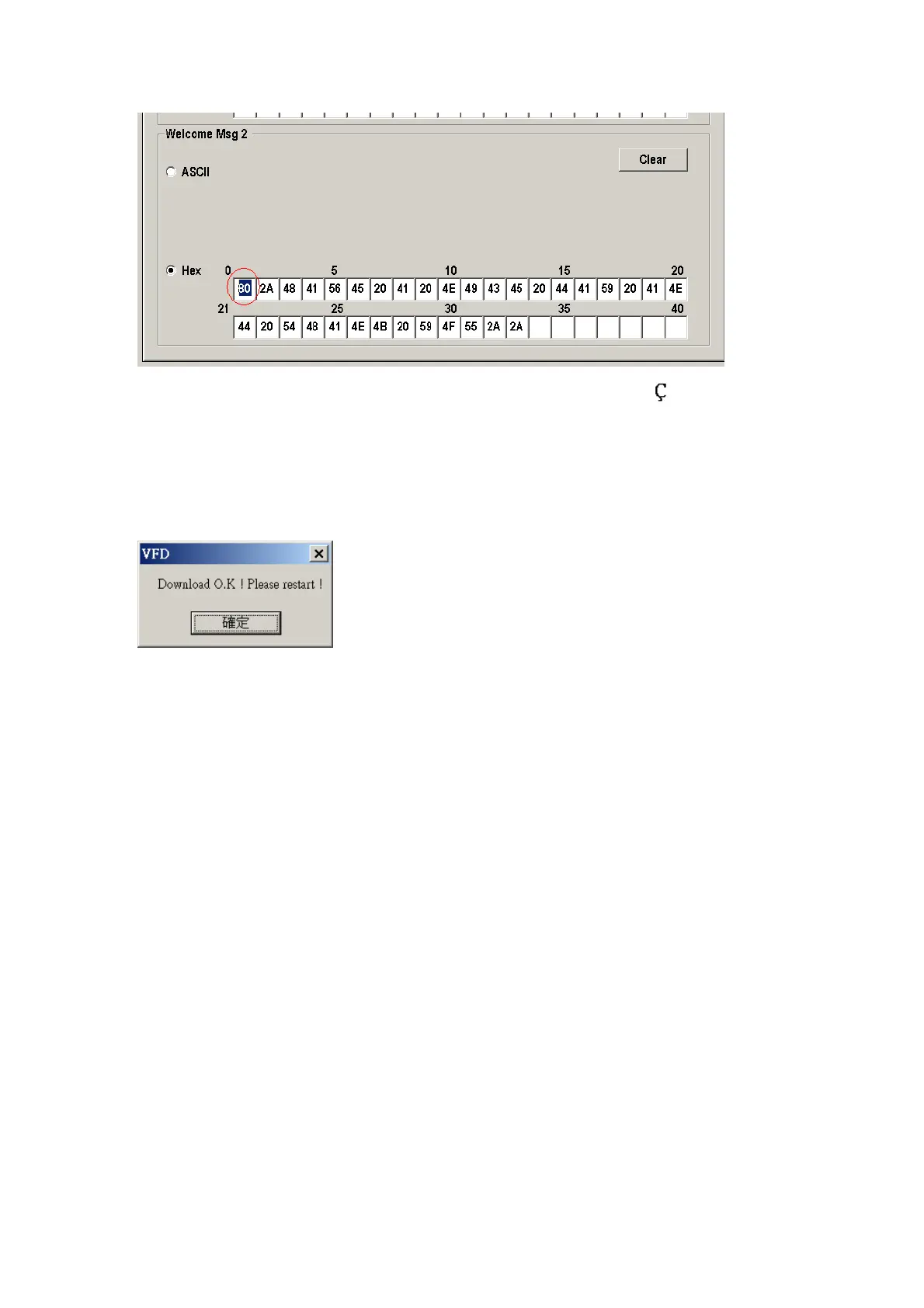
Like the first character (0x80),in default code page will show
on display。
7. “Download setting to VFD” button
This button is to download the setting from VFD_Setup.exe to display.
*After success dialog “Download O.K ! Please restart !” message popped up, you
must restart display for enable new setting.
8. “Save” button
To save user’s setting in file, example: below picture to save file name as
“Rename-GOODLUCK” file set for Welcome Msg.
P.S : The default setting named “VFD.vfd” which can’t be made any setting change.
9. “Load’ button
For saving your time, you could load any setting file which you made before to the
display. You must restart the display for enable the new settings.


 To Next Page