PRK-8000 Operation Manual
- 4 -
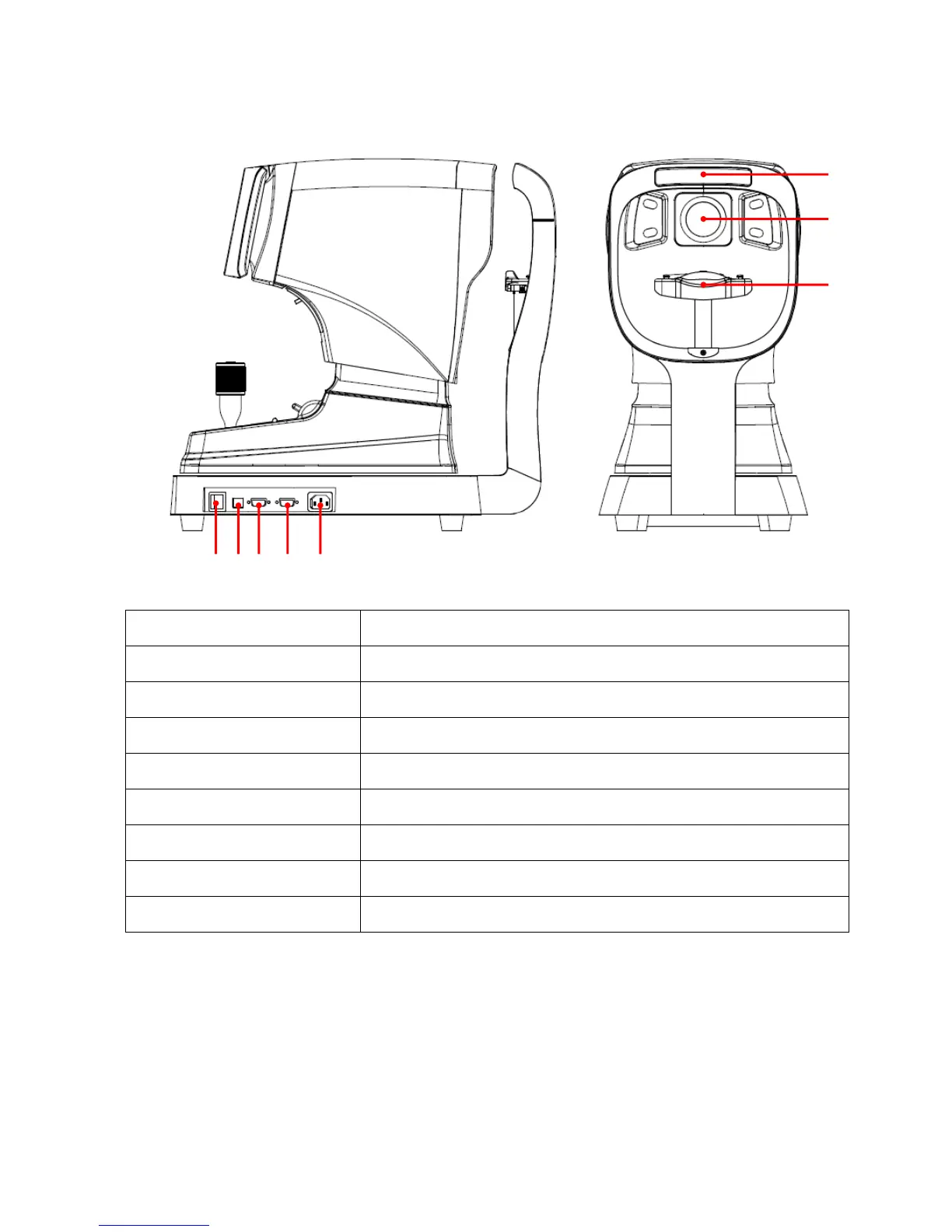
② ③ ① ⑤ ④
⑦
⑧
⑥
Name Function
① Power switch Switch for turning power ON and OFF
② USB USB connector for other instruments
③ RS-232 RS-232 connector for other instruments
④ Video Output Connector for the VGA monitor cable
⑤ Power supply connector
Connector for the power supply cable
⑥ Forehead Rest rubber
Place the examinee’s forehead against this rest
⑦ Measurement window
Window for the examinee to look into for measurement
⑧ Chin Rest
Place the examinee’s chin on this rest
If you want to connect the input / output signal ports and other devices that must meet IEC standards
(IEC60950 IT equipment, IEC60601 medical equipment)
If in doubt should contact POTEC or your authorized distributor.



 To Next Page