PRK-8000 Operation Manual
- 27 -
6.3 Observe image obtained by Retroillumination
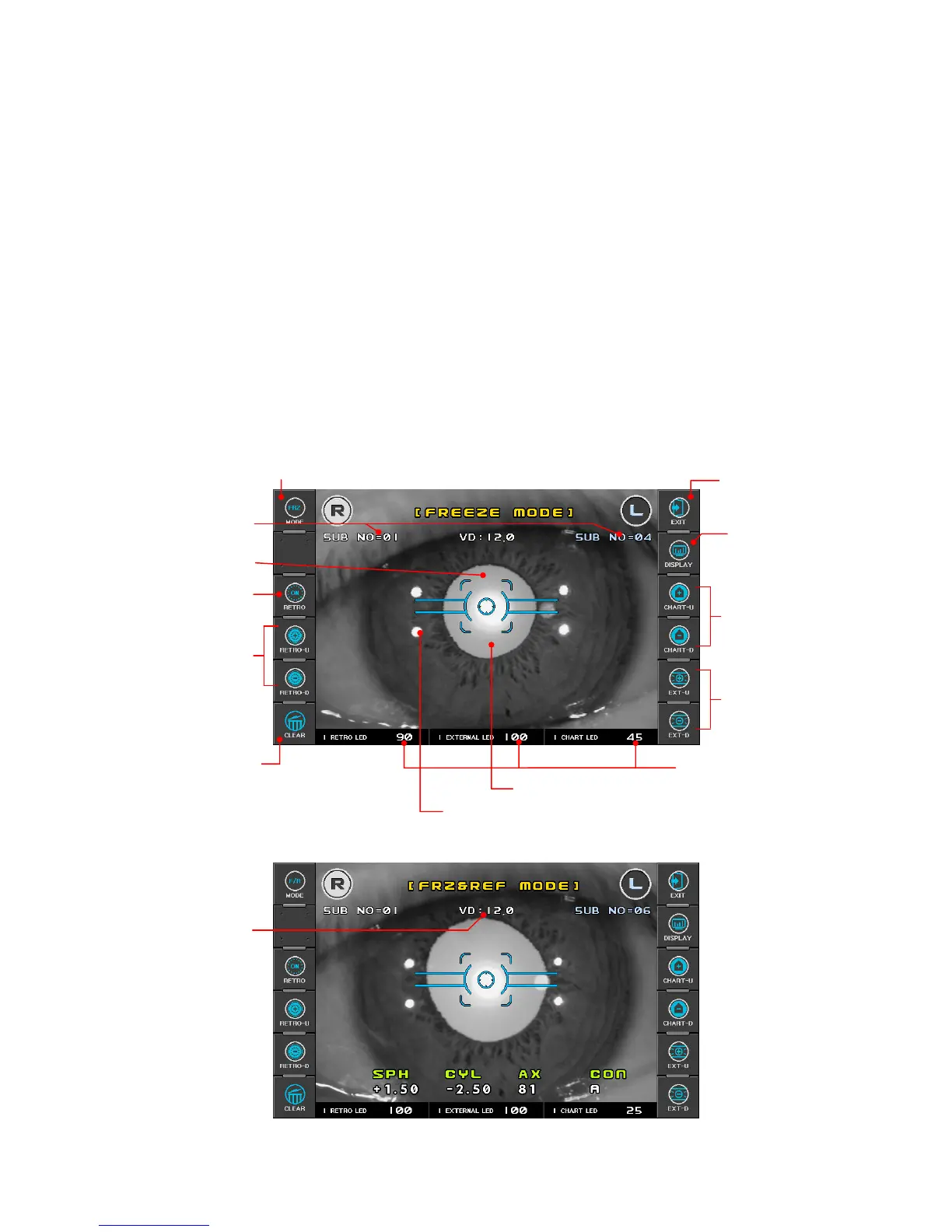
[ILLUM Mode]
By directing a light into the pupil, you can observe the condition of cataract or scratches on
contact lens on the monitor in ILLUM Mode.
Maximum of ten images for each eye can be displayed and stored in one display. When
measuring more then 10 times, the oldest image is erased.
You can select an image and display it in a magnified size.
You can upload an image and display it in a magnified size to a computer.
(1) Enter ILLUM mode.
Press ILLUM button in the Measurement MODE. Press Exit button in order to go out
ILLUM mode.
[Freeze Mode Display]
[Freeze/Ref Mode Display]
Press DISP button
to enter menu display
Light for retroillumination reflected from retina
End of the ILLUM Mode
Pupil
change the amoun



 To Next Page