PRK-8000 Operation Manual
- 10 -
5.1 Continuous Keratometry and Refractometry
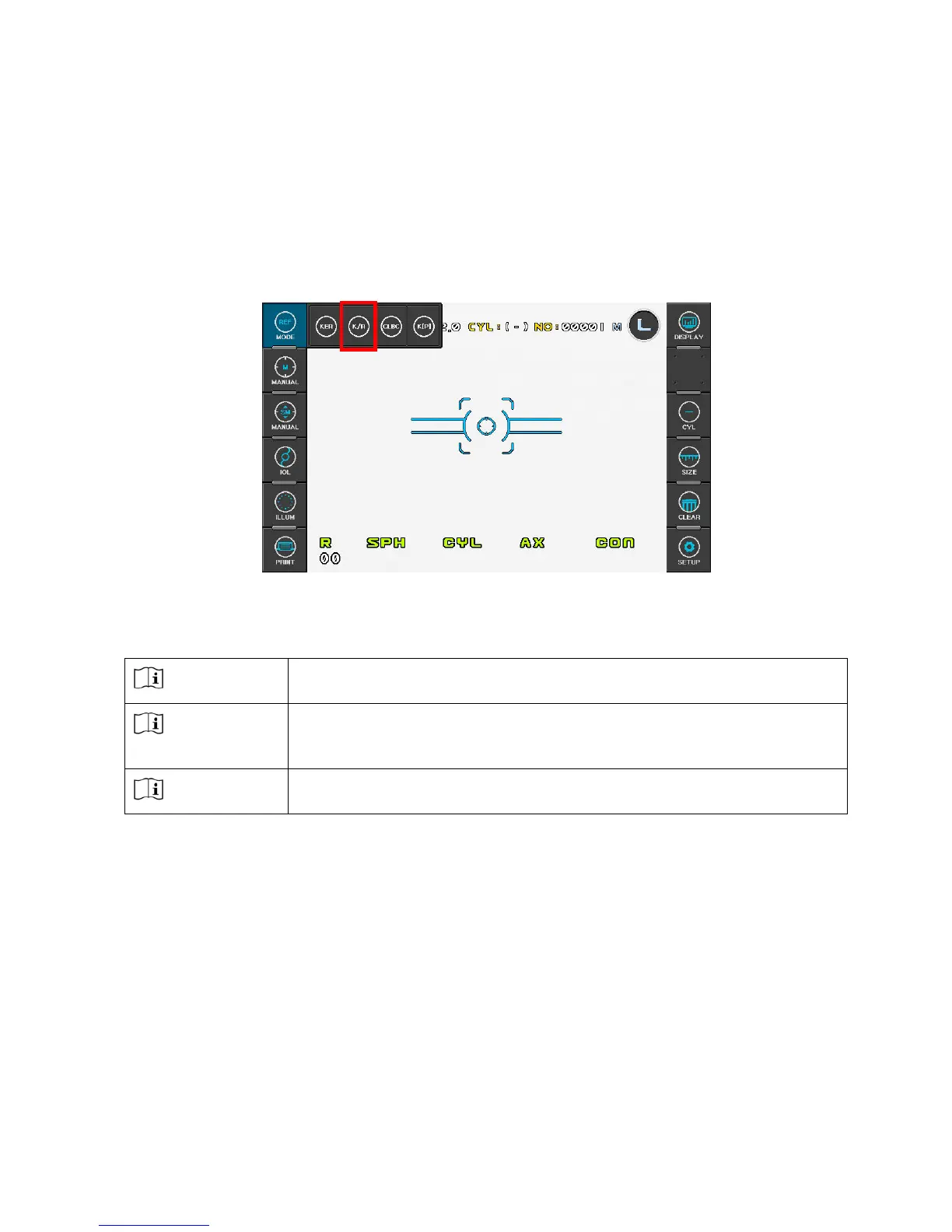
[K/R Mode]
In the K/R mode, refractometry is automatically performed after keratometry.
(1) Enter K/R Mode
Press MODE button on the left side of the display, and then select “K/R”.
(2) Adjust height of examinee’s eye.
CAUTION
Ensure that the examinee has not placed his/her hand or fingers
under the chin rest. Otherwise, hand or fingers may be hurt.
CAUTION
Wipe the forehead rest with ethanol or glutaraldehyde solution to
disinfect it each time a different examinee uses it, in order to prevent
infection.
CAUTION
Change the chin rest paper each time the examinee changes in order
to keep the chin rest clean.
Have the examinee sit and place his/her chin and forehead against the chin rest and
forehead rest.
Adjust the height of the chin by pressing “CHINREST LEVER” so that the eye of the
examinee is aligned with the height adjustment mark on the face rest.



 To Next Page