PRK-8000 Operation Manual
- 8 -
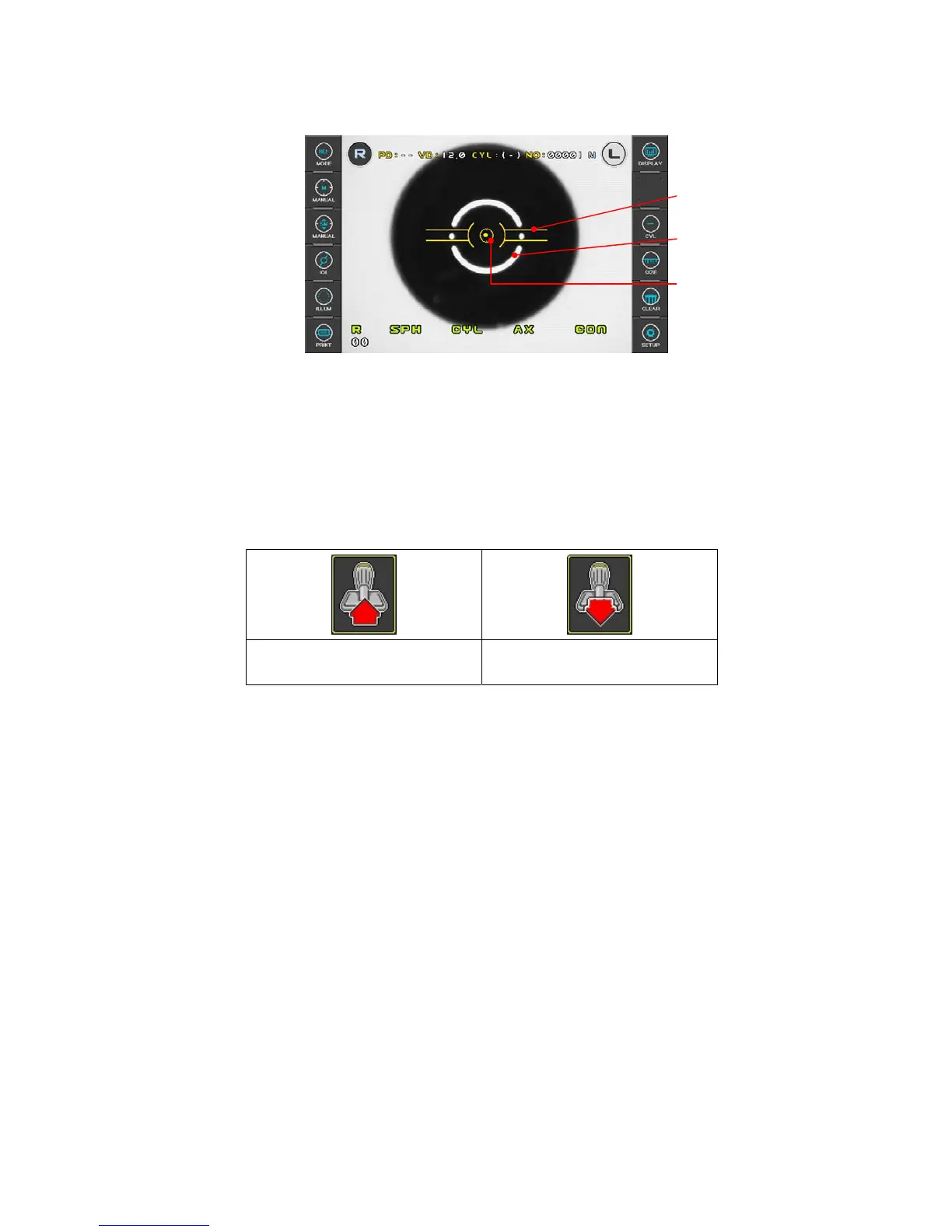
Mire Image
Outer Alignment Mark
Inner Alignment Mark
(6) Adjust the position and focus on the model eye
Looking at the monitor, incline the operation lever toward the model eye until a bright
dot appears near the Inner Alignment Mark. Place the Bright Dot in the center of
Inner Alignment Mark. If position cannot be adjusted just by inclining the operation lever,
slide the lever in the direction required.
Focus on the model eye by inclining the operation lever forward and backward so that
the Mire Ring image is displayed clearly on the monitor. The focus is correct, the color
of the aiming mark changes to yellow color.
z Guide image
In the focus away from
Æ Tilt the lever to patient
That closer focus
Æ Tilt the lever to operator
(7) Measurement
z Manual measurement
(a) Adjust the position and focus on the model eye like the procedure (6).
(b) Press the Measuring button . At this point, if measurement is failed with
messages like ERROR, repeat the procedure (a) and press the Measuring
button again.
(c) Check whether diopter value is measured or not. Diopter value is recorded in
the bottom area of the model eye. If you are not satisfied with the measured
value, measure in the same way and check again.
z Automatic measurement
Continuous measurement starts automatically and will be performed 3 times
or 5 times.
(a) Press the AUTO button on the operation panel.
(b) Adjust the position and focus on the model eye like the procedure (6) at
previous page.
(c) When the Bright Dot enters the Inner Alignment Mark and model eye is in focus
properly, measurement starts automatically.
(d) Execute the procedures (c) of manual measurement.



 To Next Page