PQR
Series Model D52
Page 13
www.Powertronics.com
V2.1
Installing the PQR Host Communications Software
Go to www.powertronics.com, click on the support link and download the latest version of the software
Or:
Put Disk 1 provided with your unit into your disk drive.
Select or Double click on SETUP
A series of files will be copied to your computer’s RAM
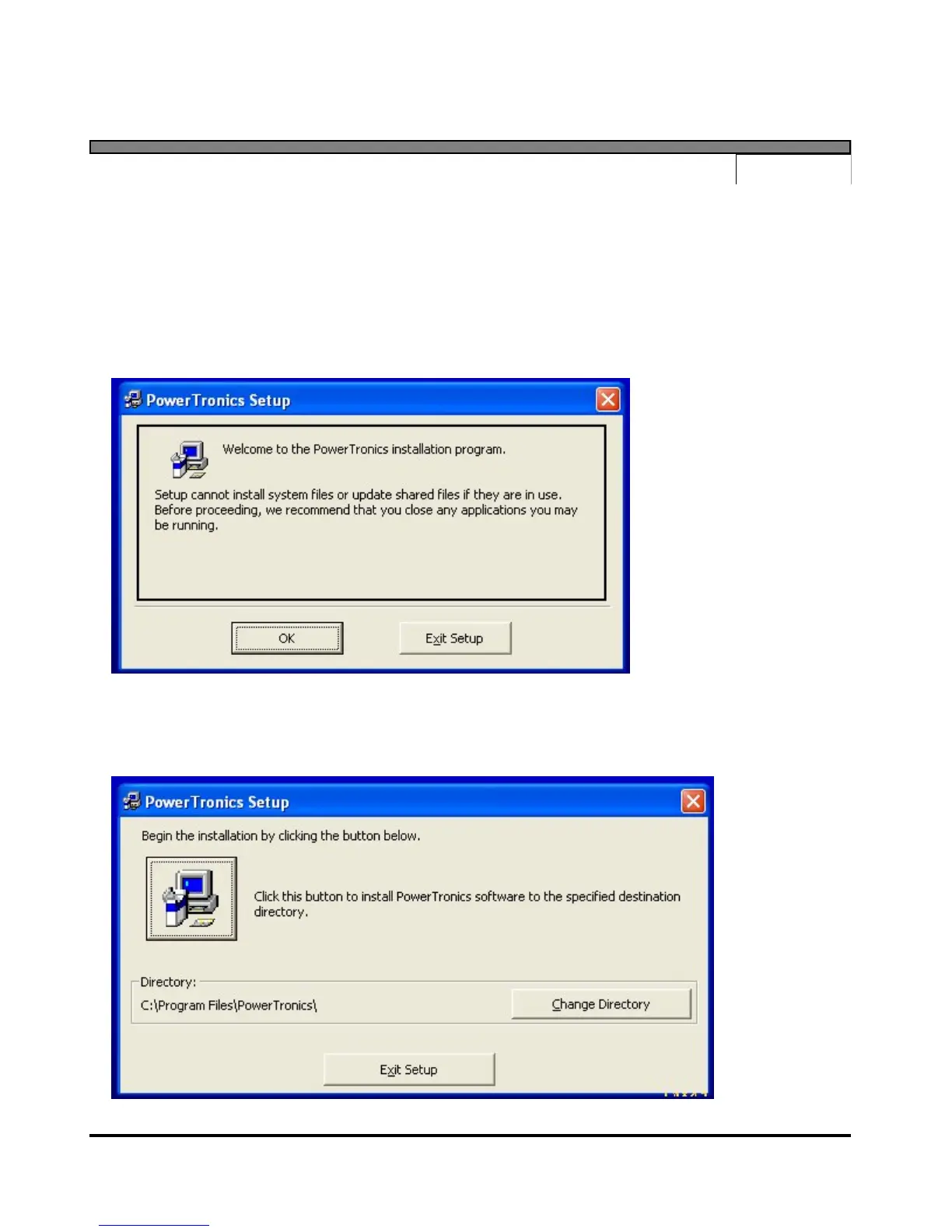
To prevent any software conflicts, you should close any other applications programs running before
continuing with the PQR Host software installation, then click on OK.
Click on the Computer Button to start the installation.


 To Next Page