PQR
Series Model D52
Page 15
www.Powertronics.com
V2.1
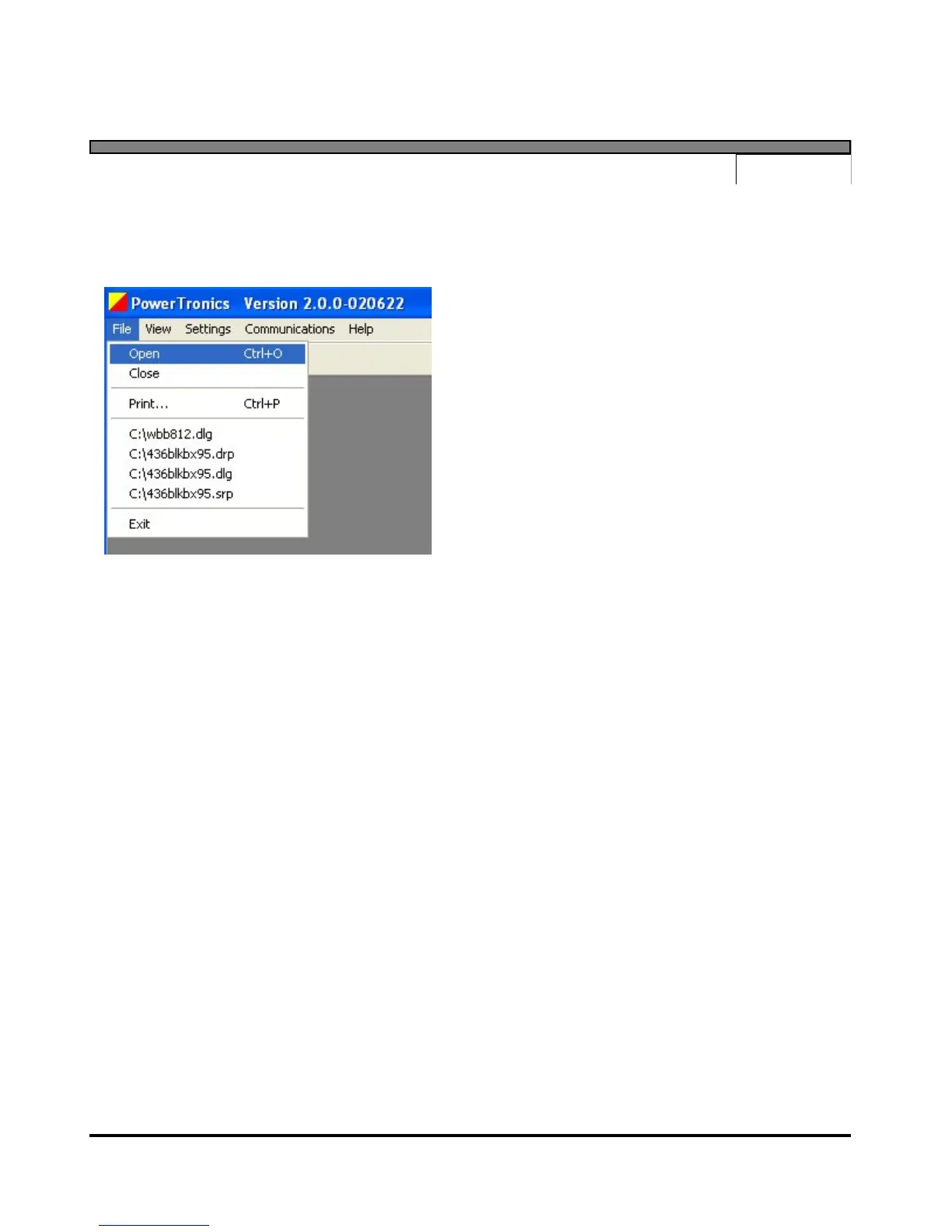
File Menu
The "File" menu contains options for using data files that are stored on disk.
Open
Select the "Open" menu item to open a data
log, detail report, or summary report that is
stored on disk. After specifying the desired
file, the program will open a window that
contains the data from the file.
Close
Select the "Close" menu item to close the
active window.
Print
Select the "Print" option to send the active window to a printer. This menu item will display a
Print Dialog for the user to select which printer to use and to specify the desired settings.
Memory Files
The program will keep track of the last four files that have been used, and keep their names and
locations in memory. To reopen any of these files, simply select the menu item with the desired
file's name. The program will display the contents of the file in a new window.
Exit
Select the "Exit" menu item to close all windows and exit the program.
Other options that are sometimes shown:
Save
Select the "Save" menu item to save the active data file to its current file name and location.
Save As...
Select the "Save As..." menu item to save the active data file to a new file name and location.


 To Next Page