12
3. Installation
The UPS and external battery cabinet are designed to be rack-mounted in four post frames or to be floor standing
in a tower configuration.
3.1 Tower Installation
ATTENTION: Use all supplied mounting hardware on each UPS and extended battery cabinet.
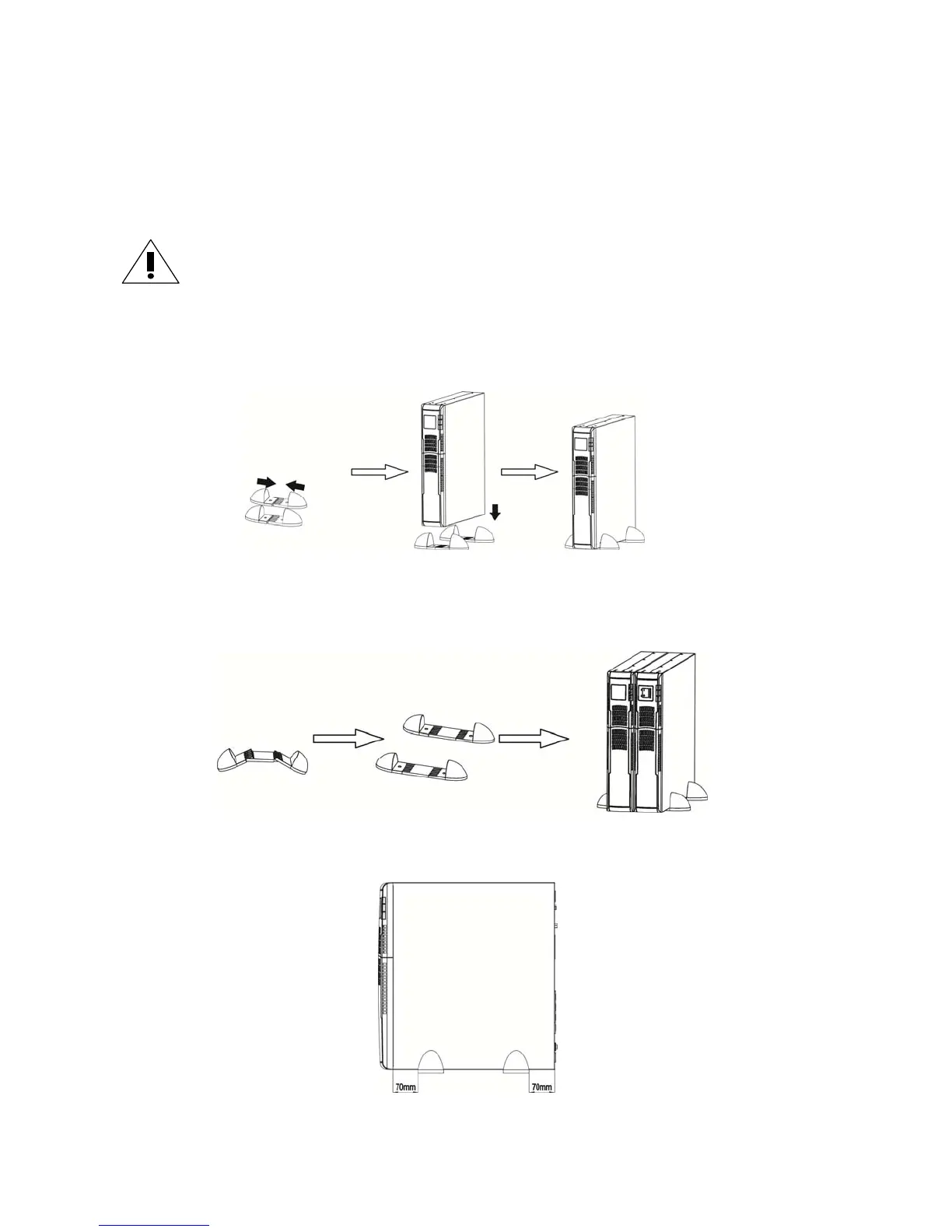
A. To install standalone, refer to the figure directly below :
Assemble two feet as one tower stand.
Align the two stands.
Put the UPS module in the stands.
B. To install a UPS module and one extended battery cabinet, refer to the figure directly below :
Assemble two feet each with an extension as one tower stand.
Align the two stands.
Put the UPS module and external battery cabinet in the stands.
NOTE: When installing the UPS or external battery cabinet with feet, please keep both feet a distance of 2.75in
(70mm) from the edge of the unit. See figure below :



 To Next Page