18
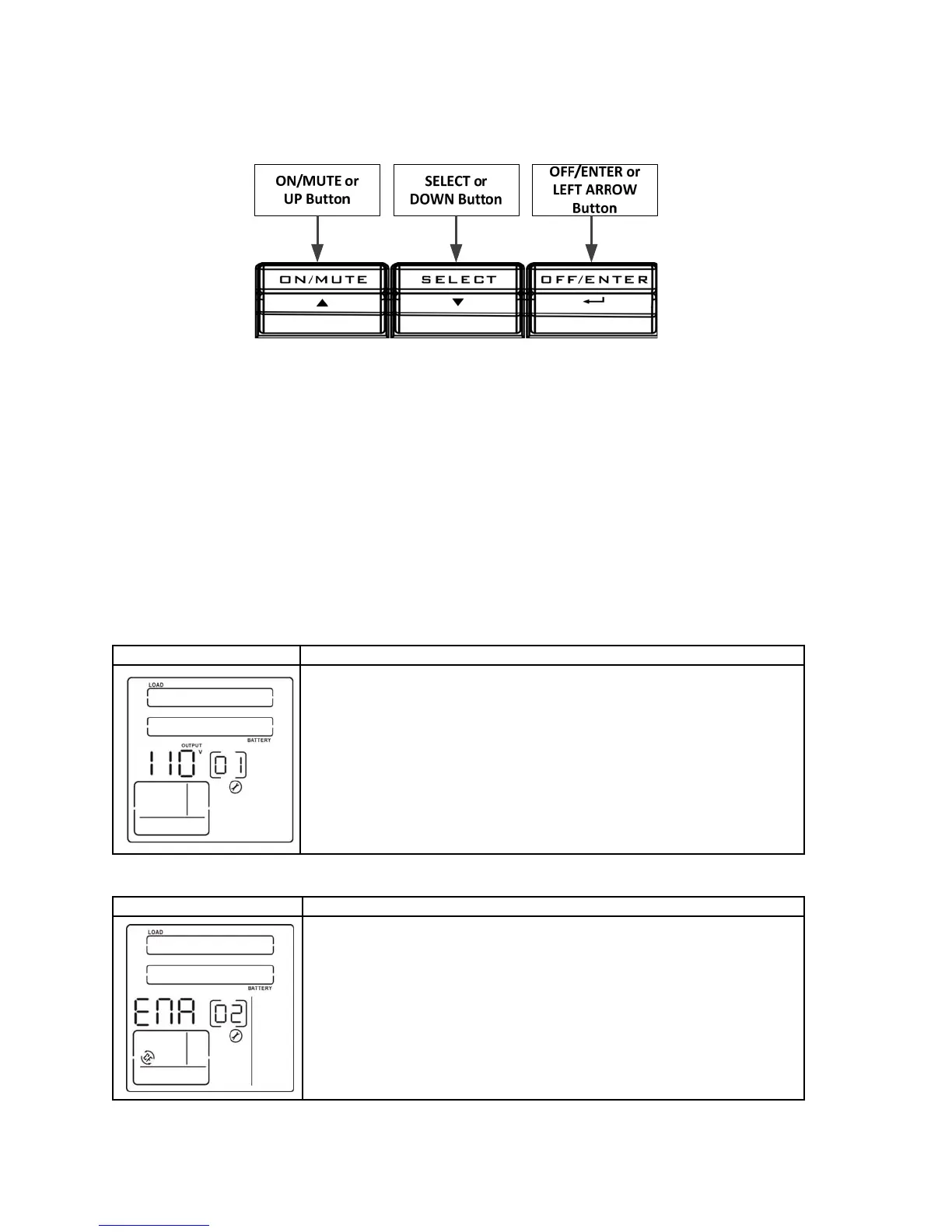
1. Press and hold the “SELECT” button for at least five seconds to enter the UPS setting mode.
2. Press the “UP” or the “DOWN” button to scroll thru all of the parameters itemized as (01, 02, 03, 06, 07, 08,
09, 10 and 11).
3. When you see the item of the parameter that you want changed press the “LEFT ARROW” button. In the
“Setting Operation” window on the LCD display the item will blink depending on the selected parameter.
4. Press the “UP” or the “DOWN” button to scroll thru all of the available settings for that parameter.
5. When you see the setting that you want for that parameter press the “LEFT ARROW” button to choose
that setting.
6. To exit the UPS setting mode press the “UP” or “DOWN” button and scroll to the ESCAPE function (item 00).
7. Press the “LEFT ARROW” button.
Interface Setting
ENA: frequency converter mode is enabled. When the input frequency is at
or between 40Hz to 70Hz the output frequency will be constant and equal to
the value (50 Hz or 60Hz) chosen in section 4.2.3 and the output voltage will
be constant and equal to the value chosen in section 4.2.1. The bypass will be
disabled in this mode.
DIS: converter mode is disabled. The output frequency is equal to the input
frequency and the output voltage will be equal to the value chosen in section
4.2.1.
4.2.2 Frequency Converter Enable/Disable (Item 02)
4.2.1 Output Voltage Setting (Item 01)
Interface Setting
The following output voltage can be chosen for on-line mode operation:
200 - 240 Volt Models 100 - 120 Volt Models
200: Output Voltage is 200VAC 100: Output Voltage is 100VAC
208: Output Voltage is 208VAC 110: Output Voltage is 110VAC
220: Output Voltage is 220VAC 115: Output Voltage is 115VAC
230: Output Voltage is 230VAC 120: Output Voltage is 120VAC
240: Output Voltage is 240VAC



 To Next Page