14
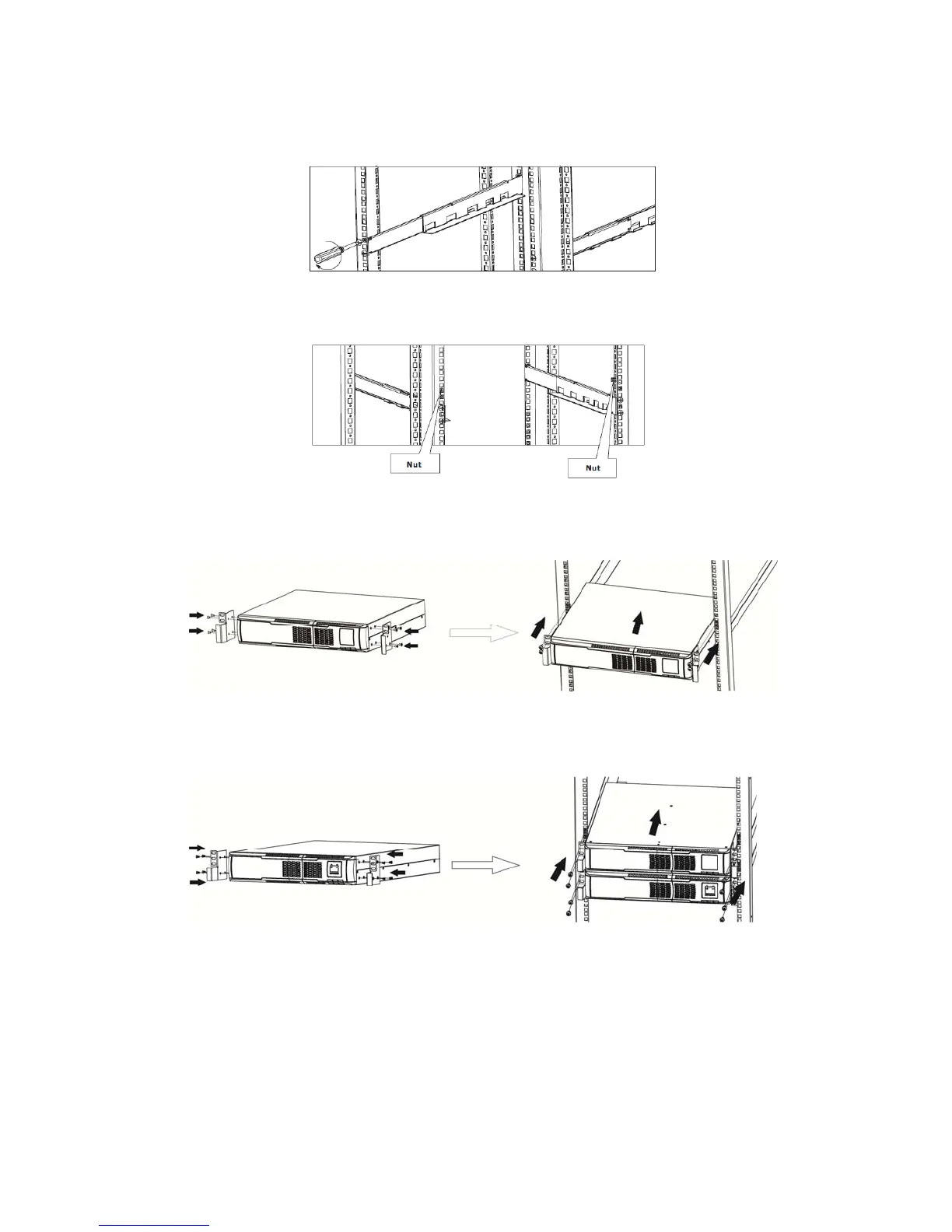
Step 2. Use four M6 screws to mount the right and left rail sliders to the two back posts of the four-post rack.
Refer to the figure directly below :
Step 3. Insert one M6 nut into the right and left front posts of the four-post rack for a 2U installation.
Refer to figure directly below :
Step 4. Install UPS alone.
Add mounting ears to both sides of the unit and refer to figure directly below :
Step 5. Install UPS and external battery cabinet.
Refer to figure directly below :



 To Next Page