18
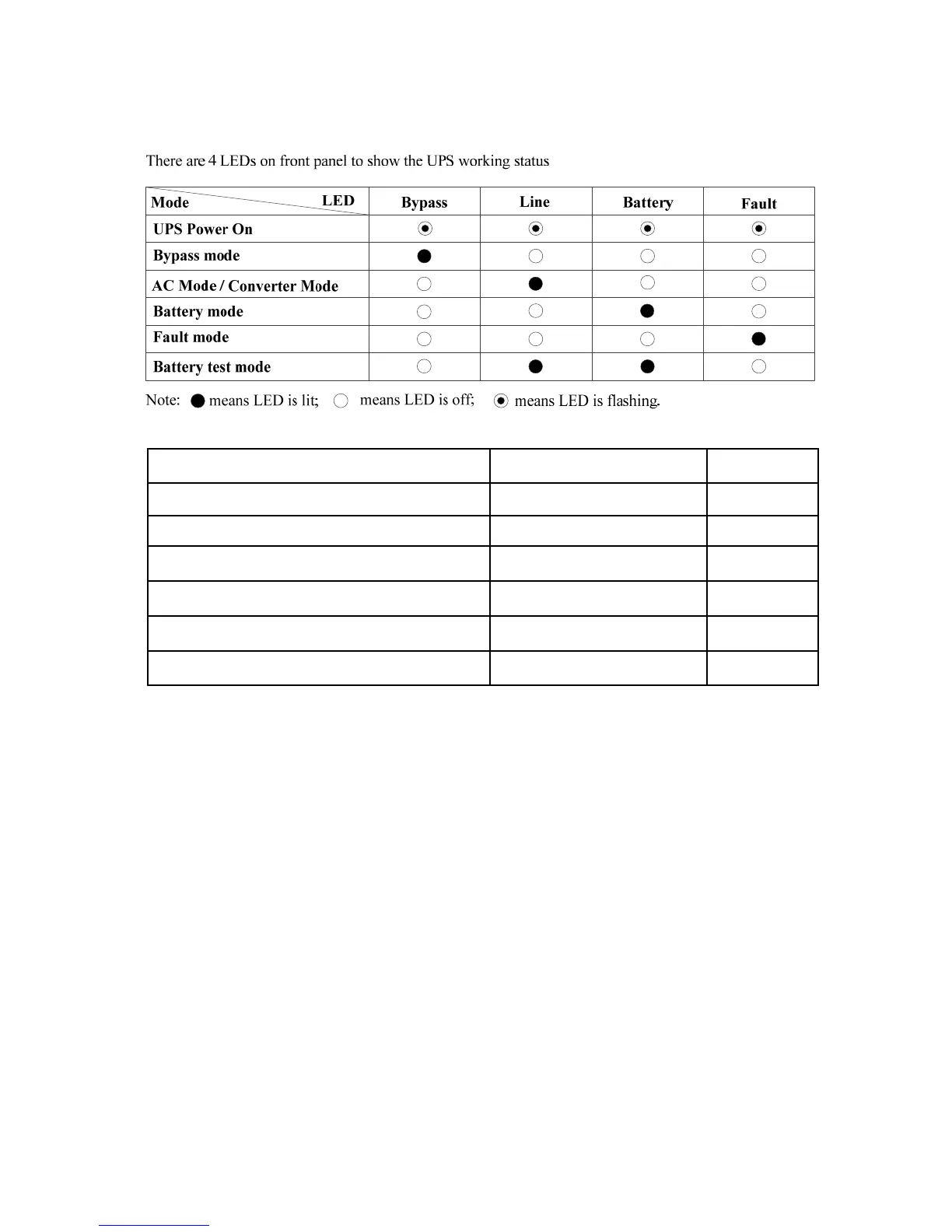
3-3. LED Indicators
3-4. Audible Alarm
UPS status Buzzer status Mute Control
Bypass mode Beeping once every 2 minutes Yes
Battery / Battery-test mode (normal battery voltage) Beeping once every 4 seconds Yes
Battery / Battery-test mode (low battery voltage) Beeping once every second Yes
Fault Beeping continuously Yes
Warnings (except overload) Beeping once every second No
Overload Beeping twice every second No
3-5. Single UPS Operation
3-5-1 . Turn on the UPS with the utility power supply (to Line mode)
1) Make sure mains input and battery are connected and that the battery pack breaker is in the “ON” position.
Set the external mains input breaker to the “ON” position. The fan will now be running and the UPS will
supply power to the loads via bypass. The UPS is operating in Bypass mode.
NOTE: When the UPS is in Bypass mode, the output voltage comes directly from the utility and the load
is not protected by the UPS. To protect the load the UPS must be turned on to Line mode.
2) With the LCD on home page, press the “ON/ENTER” button. The LCD will show a prompt page of “Turn
On”. Move the arrow to “Yes” using the up or down button and then press “ON/ENTER”. The UPS will
start up and beep once. You could also enter the “control menu” to select the instruction “Turn On” to
startup the UPS. Please refer to the section “LCD operation”.
3) A few seconds later the UPS will enter Line mode and “Line mode” will be displayed on the LCD.
NOTE: In line mode, if the utility power is abnormal, the UPS will transfer to Battery mode without
interruption.



 To Next Page