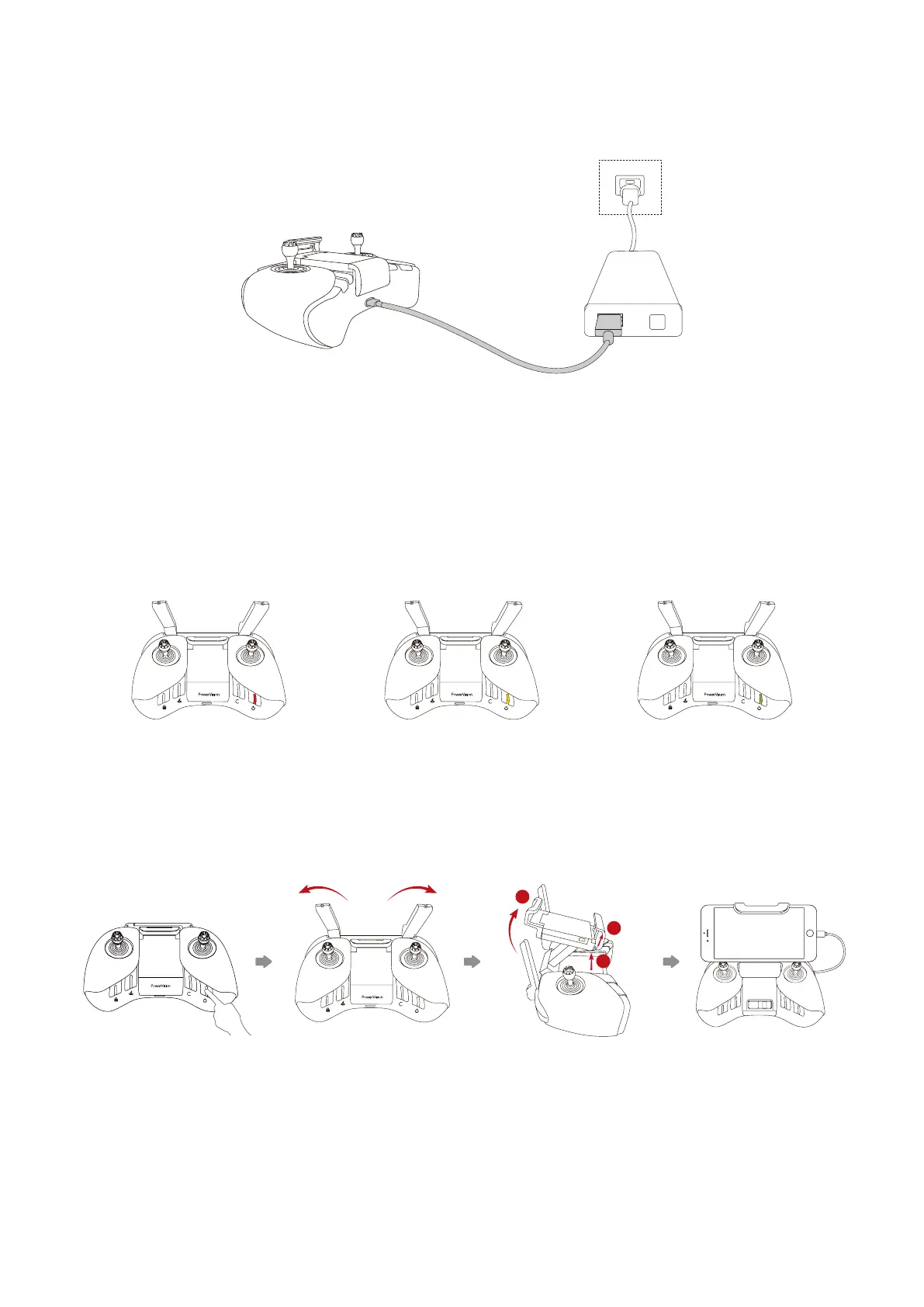
In order to charge the remote controller, use the provided micro USB cable to connect the
USB port of the adapter to the micro USB port on the remote controller. The indicator light
blinks when the battery is charging. The green light will stay on when the battery is fully
charged.
>60%<20% 20%-60%
You can check the power button light to view the battery level during use.
1. Start the remote controller.
2. Unfold the antennas.
3. Lift the mobile device stand as shown.
4. Secure your phone into place.
• Connect to Your Phone
2
3
1
13
• Charging



 To Next Page